
How to Build an Electronic Disclosure Questionnaire
Learn how to build an electronic disclosure questionnaire for volunteer screening: consent steps, address history checks, audit trails and FCRA compliance.
On this page
You're holding a phone application from a volunteer who clicked through last night, and a parent is already asking whether that person can work with kids this weekend. The checkbox is there. What you can't show is the exact notice they read, whether ongoing checks were named, or how you'd pull that screen back up six months from now. An electronic disclosure questionnaire is the evidence file for that moment. Design every field so you can later prove what the volunteer saw, understood, and accepted.
Table of Contents
- What Every Disclosure Form Must Include
- How to Build the Consent Flow Step by Step
- Reading Address History Flags Before You Search
- Storing Consent Records and Audit Trails
- Testing the Flow and Tracking Its Health
- Pilot the Questionnaire With One Volunteer Group
What Every Disclosure Form Must Include
The disclosure has to be a stand-alone notice. The EEOC's background-check guidance states that, for screening governed by the Fair Credit Reporting Act, you need a clear written notice that a consumer report may be obtained for a decision about the person, plus that person's written permission. The disclosure cannot be buried inside an employment application. Only limited extra information may sit with it, and only if that text doesn't confuse or distract from the notice. Written permission may be part of the same document. Authorization for recurring checks must be stated clearly and conspicuously.
Build the screen against this checklist. If a row is missing, the later consent click doesn't fix it.
| Element | What the rule or practice requires | Where it usually sits |
|---|---|---|
| Stand-alone disclosure | Separate from application text; extra information only if it does not distract | Its own screen or document, titled as a disclosure |
| Notice that a report may be obtained | States the report is for a decision about the volunteer | One plain sentence near the top |
| Written authorization | Affirmative permission; may sit in the same document as the disclosure | Unticked consent control with its own button |
| Recurring checks | Ongoing screening must be stated clearly and conspicuously | Separate line naming frequency and duration |
| Paper copy option | Right to paper records, how to request one, and any fee | Link or contact line beside the consent control |
| Withdrawal of consent | Procedure for withdrawing and its consequences | Short paragraph with a named contact |
| Hardware and software needs | Browser, PDF viewer, and email needed to open and keep the record | Note below the consent button |
| Summary of rights | Required before any adverse action, with a copy of the report | Prepared in advance for adverse action letters |
The two rows teams skip
Recurring checks fail when "we may screen you" is the whole sentence. If you will re-check during a season or a school year, name the frequency and the duration on their own line. The volunteer should be able to decline that ongoing scope without losing the ability to read the one-time notice.
Summary of rights is not part of the signup click, and that's why it gets forgotten. Have the summary, and a copy of the report, ready before anyone drafts an adverse-action letter. A form that only collects a yes, with no packet waiting, leaves the coordinator writing that letter from scratch under pressure.
Practical rule: If the notice shares a screen with emergency contacts, shirt size, or ministry preferences, it is not stand-alone.
Separate the legally required disclosure from unrelated application language, capture affirmative authorization, name the purpose of the report, and keep evidence of what the applicant saw and accepted. The reporting party must also be able to certify that the person was notified and gave permission, that FCRA requirements were followed, and that the information won't be misused or applied in a discriminatory way. FCRA disclosure requirements are the federal baseline. Have counsel confirm the exact wording before you publish, because state rules can add notices the federal text doesn't include.
How to Build the Consent Flow Step by Step
Treat the flow as a fixed order. A single checkbox at the bottom of a long form is not consent you can defend. The FTC's statement on E-SIGN is the standard I use here: consent holds only when the person affirmatively consents and electronically confirms in a manner that reasonably shows they could access the form of electronic record you're using.
If you want a visual of the branches before you build screens, flowchart process examples are a useful way to sketch where a decline or a withdrawal leaves the file.
The order that holds up
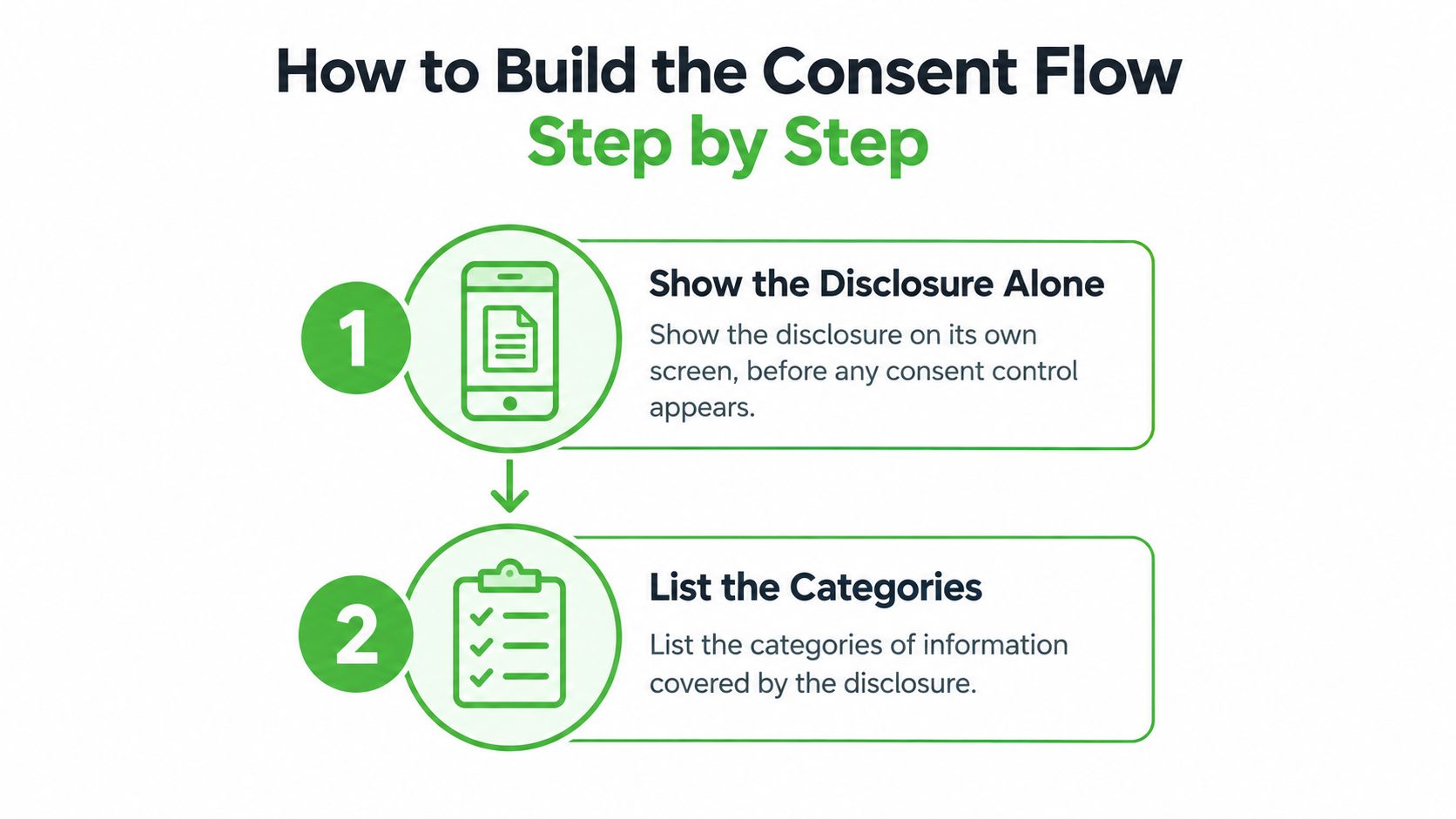
- Show the disclosure alone. Put it on its own screen before any consent control appears. If the button is visible first, you can't show they read the notice before they acted.
- List the categories of electronic records. Name what they'll receive, such as this disclosure, the authorization, and later notices about the report. Vague "all communications" language is hard to replay.
- Explain the paper-copy right. Say they may request paper, how to ask, and any fee. People decide differently when paper is a real option.
- Explain withdrawal. Name the contact, the steps, and what stops if they withdraw. Consequences belong in the notice, not in a later email.
- State the hardware and software. Name the browser, a PDF viewer, and email needed to open and keep the record. If they can't open it, the confirmation doesn't demonstrate access.
- Present the authorization unticked. The control must not be preselected. An explicit action is the permission, not a default.
- Require a separate electronic confirmation. After the disclosure has loaded, use a second action, such as a confirm button, so the record shows they could reach that form.
- Record the consent event. Store the disclosure version and timestamp with the event. The storage rules in your records schedule decide how long that package stays readable.
Where the proof usually breaks
Burying material terms behind a hyperlink fails because the archive often saves the click, not the page. Collecting consent on the same screen as unrelated application questions fails for the same reason as a buried notice: you can't separate what they accepted from what they merely scrolled past. Omitting paper-copy or withdrawal instructions fails even when the person finished the form. Keeping only a signature image, without the rendered disclosure, fails because a mark doesn't show the words above it.
A completed questionnaire is not proof. Proof is the rendered notice plus the action that followed it.
Walk every step on a phone before you trust desktop testing. Cramped screens hide the withdrawal paragraph under the button, and that's the build I would fix first. For a one-time check, state that consent covers that single transaction. For recurring checks, put frequency and duration on the separate line from your checklist, and make clear the volunteer can decline. If someone withdraws, stop further pulls, route the file to manual review, and keep the consent record. The event itself still has to be provable.
Test the full path on mobile and desktop, confirm the control isn't preselected, record the exact disclosure version, and replay a sample of archived files so they still open and match.
Reading Address History Flags Before You Search
A frequent flag is a missing county. A criminal search only looks where you tell it to look, so an unlisted jurisdiction is a search you didn't run. Add that county before you order.
Ask for every address over the past seven years, with dates and county. Before any search, normalize legal name, date of birth, email, phone, and address fields, and look for duplicate identities or combinations that can't be true. Judge your identity-matching controls by two error rates: how often they match the wrong person, and how often they reject the right one. Set a target for each, write both into your screening policy, and track them over time. A high completion rate means nothing if the completed record belongs to someone else.
| Flag | What it usually means | Action before ordering the criminal search |
|---|---|---|
| Omitted address | A county or state the volunteer lived in was not listed | Add the jurisdiction to the criminal search |
| Timeline gap | Addresses do not cover the full seven years | Ask for a written explanation and note the answer |
| Inconsistent dates | Overlapping or impossible date ranges | Confirm dates with the applicant before running the check |
| Name variation or alias | A former name or spelling appears in records | Add the alias to the criminal search |
| Duplicate identity | Two records match the same details | Hold the file for manual review |
| Missing address history | Field left blank or skipped | Require it before the consent can be submitted |
Treat every flag as a question to resolve. A bad move-out date or a former surname explains most of them, so ask the volunteer before assuming the worst. Record the answer, the reviewer's name, and the date, so the file later shows what the volunteer said and who accepted it. If you can't resolve it, send it to manual review and keep an append-only correction log tied to the person or system that changed the field.
The wider context on address history in a background check is worth reading with your team so a missing county gets caught before you pay for the search. Collect only the fields you need for identity resolution and the authorized screening. Extra questions raise privacy exposure and abandonment without adding anything you can defend later.
Storing Consent Records and Audit Trails

When a dispute shows up, you need the file the volunteer saw, not a rebuilt PDF. The FDIC's E-SIGN examination guidance places that duty in the Electronic Signatures in Global and National Commerce Act, signed into law on June 30, 2000. Substantive provisions generally took effect on October 1, 2000, and electronic-record retention requirements began on March 1, 2001. Electronic records and signatures can't be denied legal effect merely because they're electronic. A simple checkbox still isn't enough. The person must affirmatively consent, receive the paper-records notice, understand whether consent is one transaction or ongoing, learn how to withdraw, get hardware and software information, and be able to access and retain the record.
Keep the rendered disclosure, its version ID, timestamp, identity attributes, IP address, device details, and the consent event. Log every field correction with the user or system that made it, and make that log append-only. Encrypt records in transit and at rest, limit access by role, and tie each artifact to a retention period set with counsel. If counsel hasn't set a period, mark it open and resolve it. Don't keep everything forever by default.
The same care you'd use when protecting participant data in UX research applies to volunteer files: collect less, restrict who can open it, and assume a later reader wasn't in the room. Replay a sample each quarter to confirm the file still opens and matches the logged version. Write the retrieval steps down now, and keep them with your compliance documentation, so a staff member who never saw the original can pull it up.
Testing the Flow and Tracking Its Health
Don't trust the questionnaire's numbers until someone who didn't build it finishes it. A high completion rate can hide a wrong match or an eligible volunteer your rules blocked.
Run this test before launch
- Phone and desktop: Complete the path on both. If the withdrawal text sits under the fold only on a phone, fix the layout before you invite a group.
- Unticked control: Confirm the authorization isn't preselected on either device. A default yes is not an affirmative act.
- Version on the record: Note the disclosure version the tester saw, then open the saved package and match the words, not just the filename.
- Replay: Open the archived file as a different staff role would. If they can't read it, the test failed.
The scorecard after launch
Take a baseline in the first month. Review the scorecard weekly that month, then monthly. Treat any false-match incident as a stop-and-review for that step. Don't "fix it next quarter" while new files keep using the same match rule.
| Metric | Why it matters | Target to set |
|---|---|---|
| Questionnaire completion rate | Shows overall friction in the flow | Baseline in month one, then improve |
| Abandonment by step | Locates the screen causing drop-off | Investigate the step with the sharpest drop-off |
| Records needing manual remediation | Shows strain on data quality | Set the target after month one, then track it weekly |
| False-match incidents | A record linked to the wrong person | Zero tolerance; review each incident |
| False rejects | Eligible volunteers blocked by errors | Review each rejection with the applicant |
| Median time from consent to verifiable identity | Speed of onboarding | Set the target after month one |
How to read a bad week
If abandonment spikes on the disclosure screen, the notice is probably too long or the paper-copy line is unclear. Shorten layout, not the required sentences. If manual remediation climbs, you're missing counties or dates, so tighten those fields rather than adding new personal questions. If false rejects rise, call the applicant before you treat the block as final. Speed matters only after the identity is one you can defend.
Review each false match the day you see it. A weekly average will hide the one file that linked two people.
I would not add new screening products during the first month of measurement. Change one screen or one match rule, then read the next week's scorecard. Otherwise you won't know which edit moved the number.
Pilot the Questionnaire With One Volunteer Group
Start with one group, a youth program or a ministry team of 10 to 20 volunteers, not the whole organization. Run the full flow, read the scorecard after 30 days, and fix wording that caused people to quit or to ask the same question twice. Then connect screening in this order.
- Confirm disclosure and authorization are done in the questionnaire before any check is ordered. A search without that package is a file you can't defend.
- Review every address-history flag for the pilot group and resolve each one, including a written note and the reviewer's name.
- Connect the provider's API or webhooks so check status lands in the system the coordinator already uses. A second inbox is where status updates get missed.
- Set a review date 30 days out on the calendar before the pilot starts, and name who will read the scorecard.
VolunteerBadge includes a disclosure and authorization step, an address history pull, a REST API and webhooks that can push check status into your records, and automated pre-adverse and final adverse action notices when a result leads to a decision. Before you commit, confirm current pricing, turnaround, and included features with the vendor, and have counsel sign off on the final wording.
VolunteerBadge gives nonprofits a digital disclosure and authorization inside the volunteer application, an address-history pull before the criminal search, and pre-adverse and final adverse action notices when a decision requires them. If you're ready to replace a loose checkbox with a record you can reopen, start with one volunteer group and see the flow on VolunteerBadge.
