
Clear Check Background Check: What a Clear Result Means
Clear Check Background Check explained: what a clear result covers, how nonprofits read it, and the FCRA steps for screening volunteers.
On this page
A clear result means no matching record was found in the sources searched on the date of the check, not that the person has no record anywhere. If a volunteer's report says clear, can your team identify which courts, registries, and jurisdictions that result covers?
That's the question to ask before assigning someone to supervise children, drive passengers, or handle donations. Whether you're searching for a clear check background check or reviewing a ClearChecks report, the status describes a search result, not a verdict on the person.
Table of Contents
- What a Clear Result Proves and What It Misses
- The Searches Behind a Clear Result
- Fingerprinting and Identity Checks
- How Results Are Reported and Read
- Turning a Hit Into a Decision for Youth Roles
- FCRA Steps When Volunteers Are Screened
- Confirm the Screening Path Before You Order
What a Clear Result Proves and What It Misses
A clear result establishes a limited finding: the searches performed didn't return a matching record. Think of a metal detector sweep of a room. An uneventful sweep tells you something about the area examined, but nothing about rooms the operator never entered.
It also helps to separate the provider's name from the result label. ClearChecks is a screening company, not a universal clearance standard. CB Insights' company profile identifies its founding in 2017 and acquisition by HireRight in April 2025. Neither a brand name nor a corporate affiliation tells you what an individual screening order included.
Result Labels and What Each One Means
These are practical interpretations to use when reviewing a report. Confirm the provider's own definitions before applying them.
| Result | What it means | Next step |
|---|---|---|
| Clear | No matching record found in the sources searched | Record what was searched and move to role review |
| Possible match | A record may belong to the applicant and needs verification | Verify identifiers, dates, and jurisdiction before any decision |
| Pending | A source such as a county clerk hasn't responded yet | Document the open jurisdiction and set a follow-up date |
| Unable to verify | The record cannot be tied to the applicant | Don't treat it as a match; obtain clarification |
The labels answer different questions. Pending describes unfinished work. Unable to verify describes unresolved evidence. Neither should be converted into approval or rejection.
Common Misreadings to Correct
- Clear means everywhere. It covers the report's listed sources, not every court or database that might hold information.
- Clear confirms identity. A search result alone doesn't establish that the submitted identifiers belong to the person applying.
- Clear completes safeguarding. Criminal screening doesn't replace reference checks, role training, supervision, or reporting procedures.
A trustworthy screening file should identify the sources searched, search dates, identifiers used, and jurisdictions still open. If the summary page leaves those details out, retain the component-level report alongside it. Your coordinator should be able to explain the scope without relying on a colored status badge.
The Searches Behind a Clear Result
A background check is usually a bundle of searches, not a single inquiry into a complete national record. Each component examines a different collection of information, so the meaning of clear changes with the source.
A county search concerns the courts searched in that county. A federal search concerns federal cases, not every criminal proceeding involving the applicant. An aggregated database can help locate records across jurisdictions, but its breadth doesn't make it equivalent to direct court research.
Search Types Included in a Criminal and Watchlist Check
| Search | What it covers | What clear means | Typical limit |
|---|---|---|---|
| County criminal | Court records in the counties ordered | No matching county record found | Clerk involvement and backlogs can delay completion |
| State criminal | Statewide repositories and available state court records | No matching state record found | Coverage depends on state reporting |
| Federal criminal | Federal courts and federal cases | No matching federal case found | Limited to federal matters |
| National database | Aggregated court and public records across jurisdictions | No hit in aggregated data | Not a substitute for county court research |
| Sex offender registries | Registries included in the screening package | No listing found | Updates may lag recent changes |
| Watchlists | Listed sources such as FBI Most Wanted, OFAC sanctions, and global lists | No listing found | Name-based results need identifier matching |
Our national criminal screening includes sex-offender registries in all 50 states, alongside county, state, and federal court searches and the listed watchlists. That describes the package's scope, not a promise that every underlying source updates simultaneously.
For a closer explanation of aggregated records, the national crime database search guide helps distinguish broad discovery from jurisdiction-specific verification.
Speed Doesn't Establish Completeness
According to the ClearChecks FAQs, national criminal, sex-offender, and watchlist searches typically return the same day, while county searches may require clerk involvement and average 3–5 business days, with backlogs causing longer waits.
A delay can reflect court-specific diligence rather than poor service. Conversely, a quickly delivered report doesn't establish that every relevant county has responded.
Coverage rule: Don't turn a fast database response into an assumption that an unfinished court search is clear.
Say a volunteer's database component is finished but a former county of residence remains pending. Keep that county visibly open, name the person responsible for follow-up, and apply your organization's start-work policy. The question isn't only whether the report arrived. It's which jurisdictions were searched and which remained unresolved when it arrived.
Fingerprinting and Identity Checks
Fingerprinting sits beside name-based criminal screening, not inside it by default. Where the law requires an FBI or Live Scan fingerprint check for a particular role, a database search can't replace that process. It may still serve as the primary screen where a fingerprint requirement doesn't apply.
Identity verification answers another question: are you searching for the person who submitted the application? Accurate spelling alone won't resolve a shared name, an omitted alias, or inconsistent personal information.
Screening Components Used by Nonprofits and Volunteer Organizations, 2018
A VolunteerBadge summary of a 2018 survey of 967 nonprofit and volunteer organizations reports the following screening practices. These are historical adoption figures, not a measurement of current compliance or screening quality.
| Screening component | Share of organizations |
|---|---|
| Criminal-record check | 92% |
| Sex-offender registry search | 73% |
| Identity verification | 41% |
| Motor-vehicle record check for drivers | 33% |
| Fingerprinting for any volunteers | 25% |
The practical lesson is the separation between components. An organization can routinely order criminal searches without consistently connecting applicants to verified identities or evaluating driving exposure.
For example, a food-pantry volunteer who stocks shelves has different duties from a volunteer who transports older adults. The driving role calls for a motor-vehicle-record review under the organization's policy. A clear criminal result doesn't answer questions about driving history.
Questions to Resolve Before Approval
- Which roles need identity or driving checks? Map each component to actual duties rather than adding searches without a purpose.
- Does the role require fingerprinting? Confirm the applicable state, licensing, program, and safeguarding requirements with counsel or the responsible authority.
- Does the jurisdiction plan reflect the applicant's history? Compare disclosed residences with address-history information and resolve unexplained gaps.
An address-history check can help identify locations for follow-up, but it isn't proof that the applicant lived nowhere else. Treat inconsistencies as questions to resolve, not automatic evidence of dishonesty.
How Results Are Reported and Read
A report is a starting point for verification, not a verdict. When a possible criminal record appears, a reviewer needs to establish whether it belongs to the applicant before your organization considers its relevance.
In our review process, a real reviewer checks identifiers, dates, and jurisdiction. If we can't confidently validate that a criminal record belongs to the applicant, we don't send it as a possible match, and we refund the check. That's our policy, not a promise every screening company makes.
A Coordinator's Reading Checklist
Use the component details, not just the dashboard summary. The guide to reading a background check can help your team organize that review.
- Full name and aliases. Compare the application with the searched names. Note missing names or unexplained differences.
- Date of birth and other identifiers. Check whether the available identifiers support the match. A similar name isn't enough.
- County and state. Confirm where the case was filed and whether that jurisdiction makes sense for the applicant.
- Disposition. Identify whether the entry shows a conviction, dismissal, pending proceeding, or unknown outcome.
- Search coverage date. Record when the source was searched and distinguish that from the date of the alleged conduct or court event.
Don't resolve contradictions by choosing whichever field looks most reassuring. A closed case with an unknown disposition still needs clarification. Closed describes case status, not necessarily what the court decided.
Keep Component Statuses Separate
A report can show a finished registry search, a verified court record, and a pending county inquiry at the same time. Recording the whole file as clean erases information the next reviewer needs.
| File field | What to retain |
|---|---|
| Source | Court, repository, registry, or watchlist searched |
| Status | Clear, verified finding, pending, or unresolved |
| Review note | What was checked and what remains unanswered |
| Accountability | Review date and reviewer's initials |
Record the evidence available when you made the decision, not just the decision itself.
Keep these findings in a dated screening file with restricted access. Write factual notes such as disposition requested rather than speculative comments about the applicant's character. That makes a later handoff easier and keeps the review focused on evidence.
Turning a Hit Into a Decision for Youth Roles
Say a youth sports league screens a volunteer coach who will have unsupervised contact with children. The report returns a possible match on a closed case. The coordinator shouldn't assume that closed means convicted, dismissed, or safe to disregard.
The EEOC's guidance on criminal records explains that an arrest doesn't establish that criminal conduct occurred and that records may omit whether charges were filed or dismissed. Its recommended assessment considers the nature and seriousness of the offense, the time elapsed since the offense or sentence, and the nature of the position.
Apply the Finding to the Actual Duties
For the coaching applicant, establish the court outcome before judging relevance. Then examine the proposed access: private instruction, changing areas, transportation, electronic communication, and opportunities for unsupervised contact.
The table below illustrates policy choices, not automatic legal outcomes. Mandatory exclusions and restrictions on using particular records still need separate legal review.
| Record finding | Youth mentor role with unsupervised contact | Administrative or event role |
|---|---|---|
| Conviction for a violent or exploitation offense | Usually disqualifying under a relevant written policy; document the connection | Individual review of relevance and time elapsed |
| Conviction for an unrelated, older, nonviolent offense | Individual review of seriousness, recency, and fit | Often not disqualifying after review |
| Arrest with no disposition | Verify outcome before deciding; no automatic exclusion | Verify outcome before deciding |
| Dismissed or acquitted charge | Generally not a basis for exclusion by itself | Generally not a basis for exclusion by itself |
| Record belongs to another person | Remove the misattributed record from consideration | Remove the misattributed record from consideration |
An administrative title doesn't eliminate safeguarding concerns. A registration volunteer who can privately message children may have access that resembles a coaching role more than a supervised event assignment.
For martial-arts programs, Brazilian Jiu-Jitsu Academy Finder's guide to what to check in BJJ instructor backgrounds offers useful context for assessing instructors rather than treating a search result as the entire evaluation.
Write Criteria Before Reviewing Applicants
Broad name-based or arrest-only exclusions can deny opportunities to the wrong person or treat incomplete allegations as established conduct. In covered employment settings, blanket criminal-record policies can also create disparate-impact exposure. Nonprofits should confirm which employment and local protections apply to their volunteers rather than assume every rule operates identically.
Write role-specific criteria before ordering checks. Identify who can approve exceptions, what supporting information they need, and how they document the reasons. Consistency means applying the same relevant criteria to comparable applicants, not rejecting everyone whose report contains any record.
FCRA Steps When Volunteers Are Screened
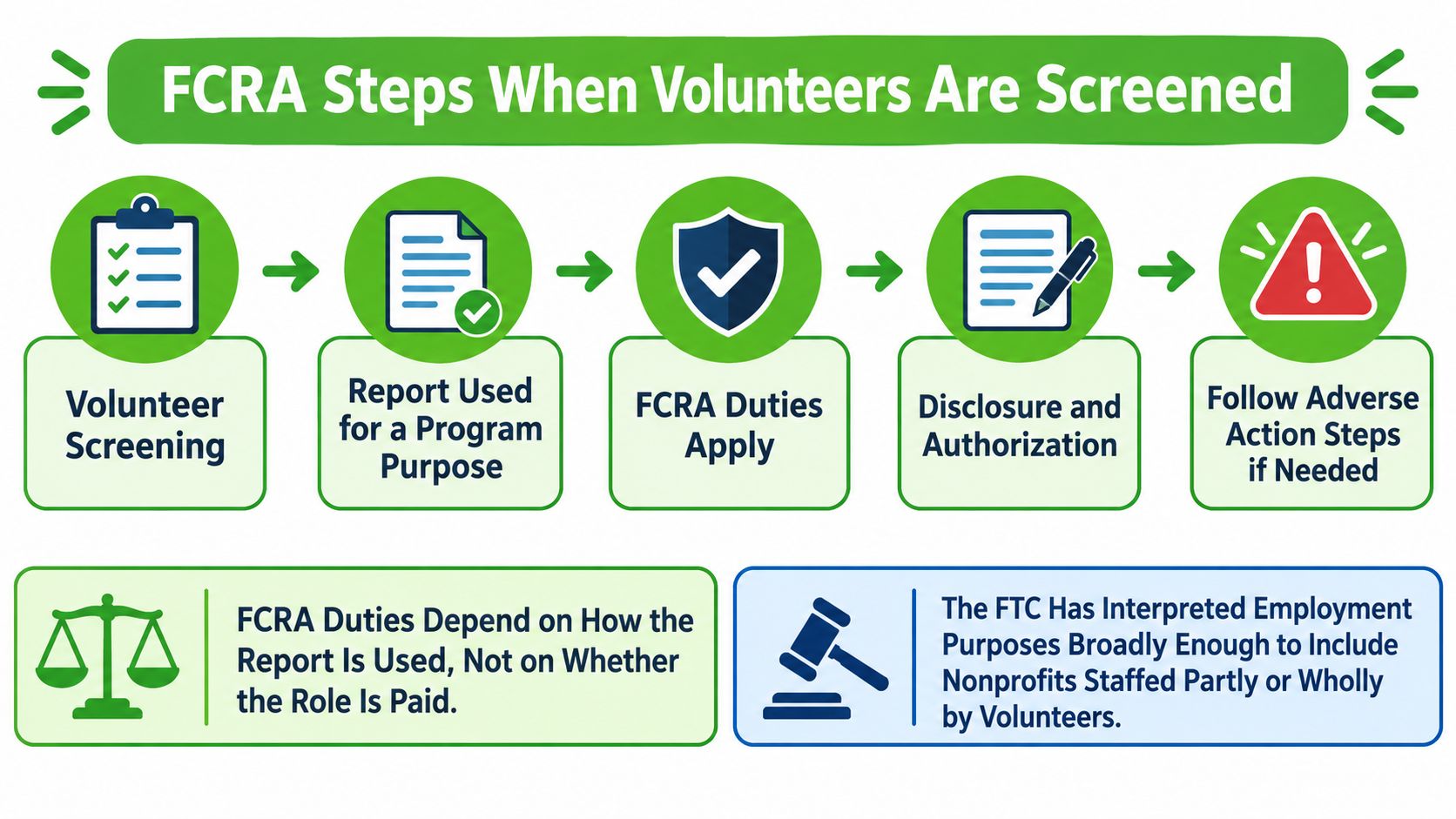
Unpaid status doesn't remove screening obligations. Guidance on volunteer recruitment and screening notes that the FTC has interpreted employment purposes broadly enough to include nonprofits staffed partly or wholly by volunteers. Treat third-party reports used for volunteer eligibility as a compliance matter, not an informal internet search.
The workflow below shows where those duties belong in the process.
Follow the Required Sequence
The FTC's background-check guidance explains disclosure, authorization, certification, and adverse-action duties. Build these into the workflow rather than relying on a coordinator's memory.
- Provide a stand-alone written disclosure. Explain that a consumer report may be obtained. Don't bury the disclosure in unrelated application language.
- Obtain written authorization. Retain the applicant's permission before placing the screening order.
- Certify permissible use and compliance. Make the required certifications to the reporting agency, including your commitment to follow applicable procedures.
- Review the report and notes. Resolve accuracy questions and apply the written role criteria before considering a negative decision.
- Send the pre-adverse materials. If you're considering adverse action based on the report, provide notice, a report copy, and the applicable summary of rights before finalizing it.
- Allow a meaningful opportunity to respond. Give the applicant reasonable time to review and challenge inaccuracies. Have counsel establish the interval under applicable requirements rather than treating a customary waiting period as a universal legal deadline.
- Send the final adverse-action notice if proceeding. Include the required reporting-agency information and rights disclosures. Make clear that the agency didn't make your organization's decision.
The nonprofit FCRA compliance guide can help coordinators translate these obligations into an operating checklist.
Preserve the Event Trail
Retain the disclosure version, authorization timestamp, submitted identity information, report delivery time, reviewer notes, notices, response interval, and final decision. Each timestamp helps establish whether the applicant received protections before, rather than after, the organization acted.
Operational safeguard: Block final adverse action until the responsible reviewer confirms delivery of the required materials and a meaningful chance to respond.
Automation can prevent missed steps, but your nonprofit still owns the eligibility decision. This is general guidance; counsel should confirm state, local, and program-specific requirements.
The accompanying video provides another format for reviewing the process.
Confirm the Screening Path Before You Order
Build the screening path around volunteer duties before comparing checkout prices. A useful plan tells a coordinator what to order, what remains unresolved, and who can authorize placement.
- Map volunteer access. List every role and flag unsupervised access to children, older adults, money, vehicles, and confidential information.
- Assign the search scope. Choose criminal and watchlist components, relevant county searches, and identity or driving checks based on the role and applicable requirements.
- Set a pending-source policy. Name the follow-up owner, establish escalation points, and specify whether supervised tasks are permitted while a required source remains open.
- Approve relevance criteria. Give reviewers a written decision framework and a clear route for exceptions.
- Check permission before ordering. Confirm the correct disclosure and authorization are retained in the file.
Put Provider Commitments in Writing
Your comparison should address jurisdiction coverage, county-delay reporting, unresolved records, compliance records, and validation policies. Don't accept a broad national-coverage description as an answer to a question about a specific court.
For our workflow, every volunteer application includes a free address-history check that uses no credits. Background checks start at $5, and everything other than background checks is free. Use that preliminary history to investigate gaps before ordering, not as a substitute for deciding which jurisdictions the role requires.
Keep a short approval record showing the role, selected sources, unresolved items, and responsible reviewer. The goal is a decision your team can explain from the file, without reconstructing conversations or guessing what a dashboard label meant.
VolunteerBadge offers volunteer applications, address-history checks, and background screening with built-in FCRA guidance. Visit VolunteerBadge to build your application and establish a documented screening path before ordering your next volunteer check.
