
API Integrations Meaning Explained for Nonprofits
Learn api integrations meaning with REST, webhooks and OAuth examples plus how VolunteerBadge API helps nonprofits automate screening.
On this page
A volunteer coordinator starts the morning with three open tabs: a signup form, a spreadsheet, and a background-check portal. A new volunteer has submitted their information, but someone still needs to copy names and addresses between systems, check whether the screening is complete, and update the volunteer record. One missed field can delay approval or create another follow-up task.
That's the kind of problem API integrations solve. They let software exchange information through defined rules, so a volunteer signup can trigger a screening workflow and return a status without manual re-entry. The important part of the phrase “API integrations meaning” isn't only how two applications connect. It's also who controls the connection, how it handles errors, how access is protected, and what happens when an automated consumer, including an AI agent, uses it.
Table of Contents
- Introduction Why API Integrations Matter for Busy Nonprofits
- What API Integrations Really Mean Beyond Connecting Apps
- How Common API Patterns Work Together
- Why API Integrations Have Become an Operating Model
- VolunteerBadge API Integration Examples for Nonprofits
- Choosing Your Next Step With API Integrations
Introduction Why API Integrations Matter for Busy Nonprofits
Small nonprofit teams often depend on several specialized tools. One system collects applications, another stores volunteer profiles, and a third handles screening. Each tool may work well on its own, but the gaps between them create administrative work for people who already have limited time.
An API integration closes those gaps by giving systems a structured way to exchange data and request actions. Instead of copying a volunteer's details into a second portal, an integration can pass approved information from the signup workflow to the screening service. When the screening provider sends back a result, the integration can update the volunteer record or notify the coordinator.
For a practical example, review the available VolunteerBadge integrations alongside the systems your organization already uses. The useful question isn't, “Can these tools connect?” Ask what information should move, when it should move, and which person or team will respond if something fails.
This guide starts with the everyday meaning of an API, then adds the technical terms gradually. You'll see how REST requests, webhooks, and OAuth fit together, why retries and monitoring matter, and how a nonprofit might connect volunteer screening to its existing workflow.
The practical goal: You should be able to explain an API integration to a colleague, identify the pattern a workflow needs, and choose whether a no-code connector or a direct technical integration makes sense.
By the end, you'll also have a clearer way to evaluate integrations as part of your organization's operating model, rather than treating them as invisible pipes that belong only to developers.
What API Integrations Really Mean Beyond Connecting Apps
Start with a restaurant menu. The menu tells you which dishes you can request and what information the kitchen needs. You don't need to know how the kitchen stores ingredients or schedules its staff. You follow the available options, place an order in the expected format, and receive a result.
An API works in a similar way. It's a defined interface that tells one piece of software what it can request from another system and how the response will be formatted. The application making the request is often called the client. The system receiving and processing it is the server.
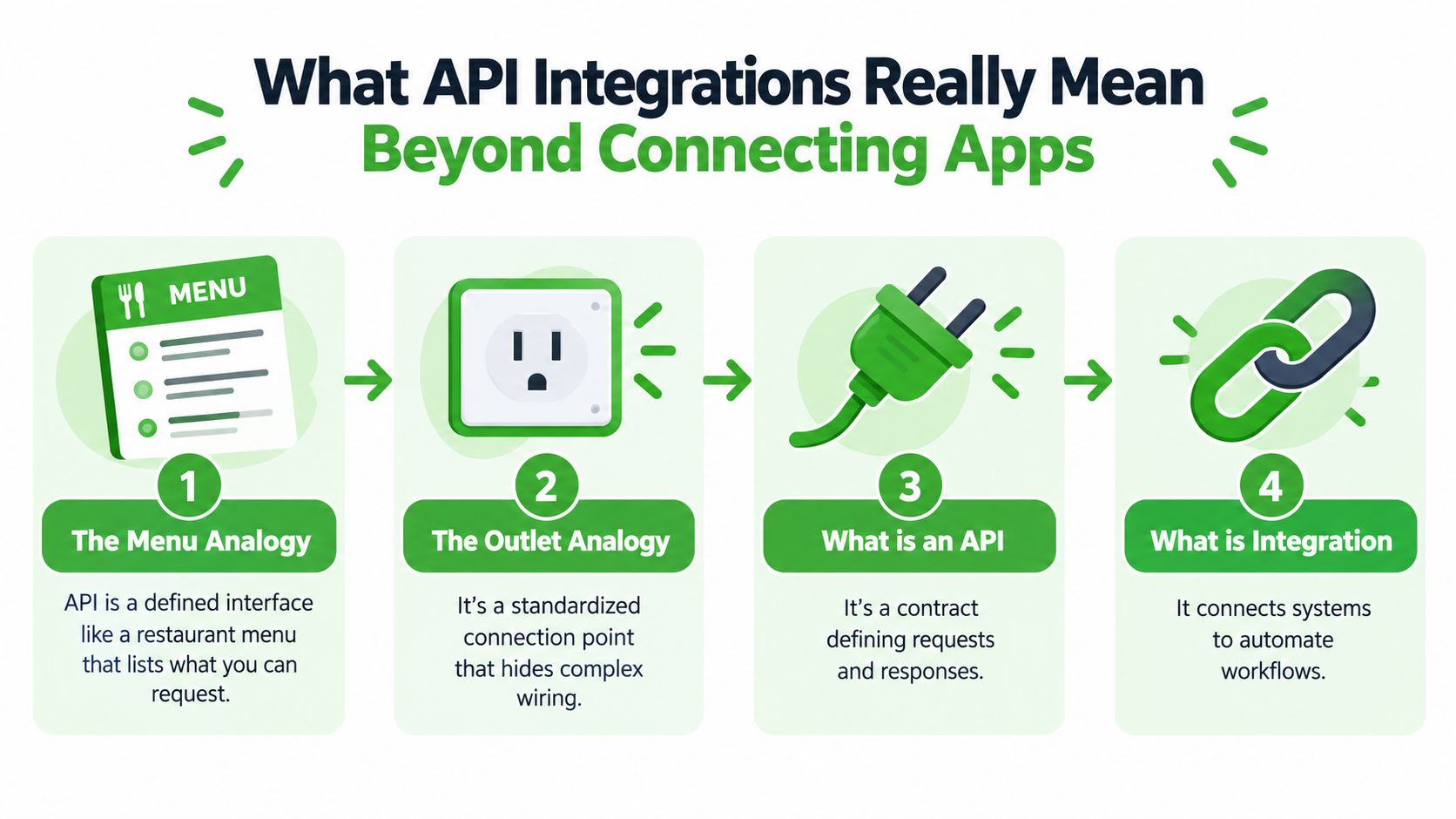
From an interface to an automated workflow
An API is the agreement. Integration is the implementation layer that uses that agreement to connect systems, map information, and automate a workflow. IBM describes API integration as the connection of applications, systems, and workflows through a defined interface so they can exchange data and services automatically. You can explore IBM's explanation of API integration for the architectural distinction.
Suppose a volunteer form stores a field called phone_number, while a screening service expects phone. The integration has to map those fields correctly. It may also need to authenticate the request, translate data formats, handle a response, and decide what to do if the receiving system is unavailable.
That's why API integration isn't merely “linking apps.” It exposes and consumes integration flows across business systems. A nonprofit might have one flow for creating a screening request, another for receiving a completed result, and another for updating a volunteer's status.
Plain-English definition: An API integration is a managed connection that lets systems exchange approved information and trigger actions automatically through a defined software interface.
The same idea applies when connecting publishing or automation tools. A guide such as Connect Ihateposting To Zapier Make N8n can help illustrate how a service becomes part of a broader workflow rather than remaining a standalone application.
Once a connection runs in production, reliability becomes part of its meaning. A useful integration needs authentication, data mapping, retries, rate limiting, and observability. Without those controls, a workflow may work during a demonstration but fail when a request times out, a field changes, or a service receives too many requests.
How Common API Patterns Work Together
A volunteer screening workflow often uses three API patterns, each with a separate role. REST starts an action, webhooks report a change, and OAuth controls delegated access.
REST handles a direct request and response. A volunteer management system might send volunteer details to create a screening record, then request the record later to check its status. REST follows familiar web conventions and remains the dominant architecture for roughly 80% to 90% of public APIs in 2025, according to TechRepublic's API usage and growth summary.
Webhooks handle an automatic notification. The screening provider receives a URL and sends an event when the result changes. The receiving system can then act on the update instead of repeatedly asking whether the result is ready. This usually reduces unnecessary requests and shortens the wait for staff.
OAuth handles delegated access. A coordinator authorizes an application to use defined information or actions without sharing a password. Permissions can be limited to the volunteer records or screening actions required by the workflow.
One workflow, several patterns
Consider a volunteer screening process:
- A coordinator authorizes the integration through OAuth or another approved authentication method.
- The system sends volunteer details through a REST request.
- The screening provider processes the request.
- The provider sends a webhook when the result is ready.
- The receiving system validates the event and updates the volunteer record.
- The workflow records errors and alerts a responsible person if delivery fails.
Polling can replace webhooks. The receiving system checks for updates on a schedule, which may suit an older service. It can also create extra traffic and delay the point when staff see a completed result.
The patterns need controls around them:
- Authentication: Verify that the calling system has permission to act.
- Data mapping: Match fields accurately and reject incomplete or unexpected data.
- Retries: Try again after temporary failures without creating duplicate actions.
- Rate limiting: Respect provider limits and prevent bursts from overwhelming a service.
- Observability: Record requests, responses, failures, and delivery status so someone can investigate.
A short video overview of API patterns can reinforce the difference between request-response communication and event notifications.
Why API Integrations Have Become an Operating Model
A volunteer coordinator may begin the day by approving a screening request, then discover that the result never reached the volunteer record. The technical connection is only part of the work. Someone must decide who can authorize it, monitor delivery, review exceptions, and respond when a service changes.
APIs have a long history, but their organizational role has expanded. The term dates back to the 1960s. An early formal mention appeared in a 1968 article about remote computer graphics. eBay launched its API in November 2000, and REST became a dominant design style around 2000, as described in The history of APIs.
The modern shift is organizational. Organizations increasingly treat APIs as shared infrastructure for digital services, connected tools, and automation. Industry coverage describes API-first adoption as widespread, with some organizations still developing a fuller API-first approach. The same broader pattern shows that businesses rely on third-party APIs and cloud services in everyday operations. These figures reinforce a practical point: an integration needs an owner, operating rules, and a way to change safely.
Ownership matters when the workflow fails
An operating model answers more than “How does this connection work?” It defines who designs the integration, who approves access, who monitors it, and who fixes it. For a nonprofit, the program manager might own the volunteer rule, an administrator might own permissions, and a technical partner might handle delivery failures.
A screening workflow can fail in several ways. A request may contain incomplete information. A service may be temporarily unavailable. A webhook may arrive more than once, or a field may change after an update. Governance gives the organization a consistent response for each case, including review responsibilities and records of what happened.
Recent industry coverage reports that 92% of organizations are consolidating around integration, API management, and automation, while 90% want a unified AI-ready platform and only 46% have one today. Those figures come from 2026 API integration strategy coverage. They point to a broader responsibility: teams increasingly manage integrations as shared infrastructure with security, compliance, and lifecycle requirements.
AI agents add another type of consumer. An agent can select an approved tool and send an API request based on a person's instruction. Coverage of API trends projects that more than 30% of the increase in API demand through 2026 will come directly from AI and large language model tools, as reported by this API trends analysis. Nonprofits therefore need clear permissions, stable contracts, detailed logs, and human review for sensitive screening actions.
VolunteerBadge API Integration Examples for Nonprofits
A nonprofit volunteer workflow makes the operating-model idea concrete. A new application can become the starting event, a REST request can submit the screening details, and a webhook can return the completed status to the system where staff already work.
VolunteerBadge offers a REST API and webhooks for programmatic background-check workflows. Its published product information states that teams can run checks in an application or through mobile workflows, receive results in 24 to 48 hours, and use an NLP interface with Claude, ChatGPT, or Gemini at no extra cost. The service lists a $4.95 per-check fee with no monthly fees, plus address-history checks, FCRA guidance, and automated pre-adverse and final adverse action notices. Review the VolunteerBadge integration with Bloomerang when assessing how a volunteer record might connect to a screening workflow.
Three practical nonprofit workflows
A coordinator could configure an integration to submit a check after a volunteer completes an application and authorization step. The integration would map the volunteer's approved details, store the returned check identifier, and wait for the completion event rather than asking staff to revisit the portal.
Another workflow could pull address-history information before spending a credit. If the system flags gaps or inconsistencies, staff can resolve the information first. That prevents the integration from treating incomplete data as a finished process.
AI-assisted access creates a different experience. A coordinator could use a supported natural-language interface to initiate an approved screening action, while governance rules still determine who can request it, what information the system may use, and how the result is recorded. The agent changes the user interface, not the organization's responsibility for authorization and compliance.
| Nonprofit Job | API Pattern Used | What Happens Automatically |
|---|---|---|
| Start a screening after volunteer authorization | REST API | The application submits approved volunteer details and stores the returned check reference. |
| Detect a completed result | Webhook | The screening service sends an event to the nonprofit's receiving system. |
| Check information before submission | REST API and data mapping | The workflow retrieves relevant details and flags missing or inconsistent fields for review. |
| Request an action through an AI assistant | NLP interface and API access | The assistant interprets the request, subject to configured permissions and workflow controls. |
| Prepare required follow-up notices | API response and workflow automation | The system routes the result and available FCRA guidance to the appropriate staff process. |
For a broader example of planning an integration around nonprofit software, the Webtwizz API integration guide offers useful context on connecting organizational platforms and deciding which data should move between them.
The design choice should follow the team's capacity. A no-code connector may suit a simple trigger and status update. A direct REST and webhook integration may be better when the nonprofit needs custom field mapping, detailed audit records, or tighter control over permissions and failures.
Choosing Your Next Step With API Integrations
You understand the core idea if you can separate four questions:
- What is the contract? Identify the API endpoints, required fields, responses, and permissions.
- What starts the workflow? Decide whether a person's action, a REST request, or an event begins the process.
- How does the system learn about change? Use a webhook when the provider can notify your system, or use polling when scheduled checks are the available option.
- Who owns failure recovery? Assign a person or team to review rejected requests, duplicate events, expired access, and service outages.
Next, map one volunteer workflow from start to finish. Write down the source of each field, the destination, the information that may be sensitive, and the action staff should take when the result is incomplete or delayed.
Choose a no-code connector when the workflow is straightforward and the available fields match. Choose a direct REST and webhook integration when you need custom behavior, stronger auditability, or a technical team that can maintain retries, authentication, monitoring, and version changes.
The best starting point is small. Connect one approved VolunteerBadge screening workflow, test it with non-production records, confirm that the right person receives status updates, and document the recovery steps before expanding to more programs. For a focused example of nonprofit screening workflows, visit VolunteerBadge's volunteer management background-check integration.
VolunteerBadge provides nonprofit-focused volunteer screening with REST API, webhook, and natural-language integration options, so teams can connect checks to the systems they already use. Visit VolunteerBadge to review the available workflow options and choose a practical first integration for your organization.
