
Electronic Consent Software for Background Checks
Learn how electronic consent software supports FCRA-compliant background checks, from e-signature legality and disclosures to API integrations and audit trails.
On this page
A youth ministry coordinator is preparing a volunteer for a weekend trip when she realizes the paper background-check authorization is still sitting in someone's car. The volunteer is ready, the schedule is set, but the screening can't move forward until the form is found, signed, and returned. If the team switches to an emailed PDF, the next questions are familiar: Did the volunteer open the right version? Was the authorization separate from the waiver? Where will the signed copy live?
Electronic consent software can replace those fragile handoffs with a documented digital process. But for volunteer screening, collecting a signature is only one part of the job. The workflow also needs to show what the volunteer received, what they agreed to, and whether the record can still be retrieved and verified later.
Table of Contents
- Why Volunteer Programs Are Switching to Electronic Consent
- The Legal Foundation That Makes E-Signatures Enforceable
- Required Disclosure and Authorization Elements Under the FCRA
- How Audit Trails Protect a Signed Record
- Integration Options That Fit a Nonprofit Stack
- Why a Valid Signature Can Still Leave You Exposed
- A Nonprofit Feature Checklist for Evaluating Vendors
- Putting It Together for Your Volunteer Program
Why Volunteer Programs Are Switching to Electronic Consent
Paper forms tend to travel through a nonprofit in pieces. A program manager hands a waiver to a volunteer, a coordinator follows up for the screening authorization, and someone else enters the volunteer's details into a screening system. If one handoff slips, the team may not know whether the volunteer has completed onboarding or which form is still missing.
Emailed PDFs can be just as hard to track. A volunteer might print and scan a document, sign an outdated copy, or send it back to an inbox that several staff members share. Even when the form is complete, a coordinator may have to search across email, cloud folders, and a screening dashboard to connect the signature to the correct person and check.
Electronic consent software brings those actions into a managed workflow. A volunteer can review a disclosure on a phone, provide authorization, and receive a completed copy without passing paper between people. The organization can connect the record to the volunteer's application, screening status, and onboarding file.
The operational test: Can your team show which disclosure the volunteer saw, capture their authorization, and find the completed record without reconstructing the story from email?
That matters especially for churches, schools, youth programs, and community organizations, where coordinators often manage onboarding alongside many other responsibilities. A digital process can reduce chasing and make handoffs clearer, but it only helps if the workflow keeps the evidence together. The aim isn't to make every form digital for its own sake. It's to make consent easier to complete and easier for the organization to explain later.
The Legal Foundation That Makes E-Signatures Enforceable
The E-SIGN Act of 2000 established a federal legal framework for electronic signatures and records. A signature can't be denied legal effect solely because it's electronic. Where the Act's consumer-consent requirements apply, organizations must also demonstrate that consumers can access records in the electronic format they will use (E-SIGN Act overview).
For a nonprofit, the practical question is what happens around the signature. When relying on electronic delivery to satisfy a writing requirement covered by those provisions, the workflow needs affirmative consent to electronic records, clear disclosures before agreement, and evidence that the person can access the format used.
Consent to electronic delivery and authorization for an FCRA screening serve different purposes, so the record should distinguish them.
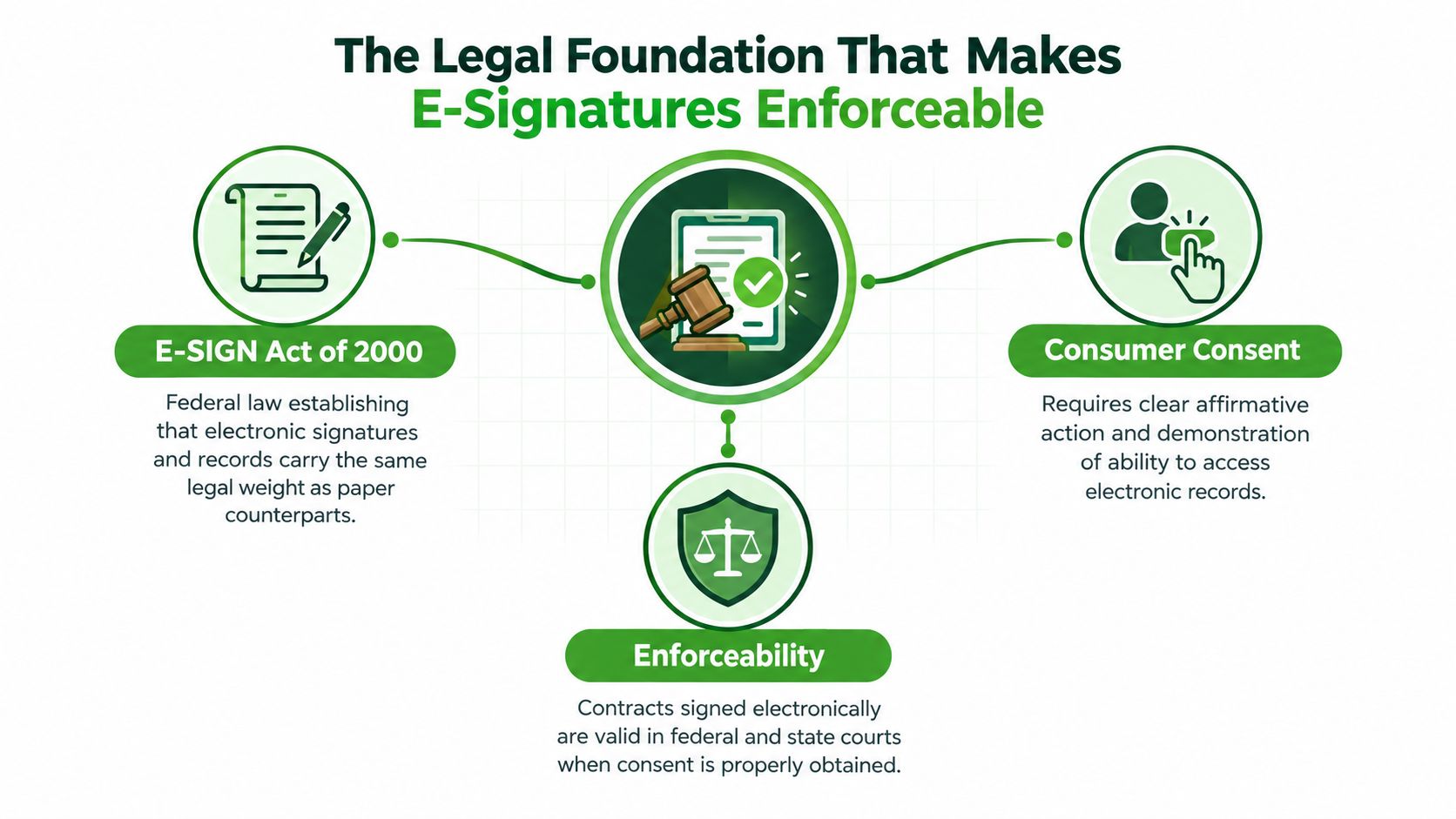
Capture access, assent, and the retained copy
The signature alone doesn't establish what was disclosed. Retain the presented disclosure version, access evidence, timestamp, and retrievable copy alongside the signature event. Together, these explain what the volunteer accepted and how the record was made available.
A practical flow presents the electronic-record disclosure and explains relevant access, hardware, and software requirements. It then requires an affirmative action before continuing. The system should retain the signer identifier and evidence of that access step with the signed record. The volunteer should be able to obtain a copy in the format the organization retains.
For example, a volunteer signing on a phone should encounter an access process suited to that delivery channel, rather than one that assumes access to a desktop computer. If the onboarding tool passes authorization to a screening system, the connection should preserve its association with the disclosure and electronic-consent evidence. Otherwise, the screening system may hold a signature without the context needed to explain it.
The completed record needs to remain accurately reproducible and accessible for the period required by law. Keeping those pieces connected gives the program manager an auditable record of access, agreement, and authorization, rather than an isolated signature image.
Required Disclosure and Authorization Elements Under the FCRA
A volunteer may agree to general program rules, but that doesn't automatically authorize a background report. When a consumer reporting agency provides a report for volunteer placement, the FCRA workflow has its own requirements: the disclosure must be a clear and conspicuous standalone written notice, and separate written authorization must follow before the report is furnished (FCRA disclosure and authorization requirements).
That separation is important when an onboarding packet also includes a conduct code, media release, liability waiver, or general program consent. If screening language is buried among unrelated terms, the volunteer and organization may later disagree about what the signature covered. Keep the purpose and authorization for the consumer report distinct, and preserve the exact documents and actions that make up the process.
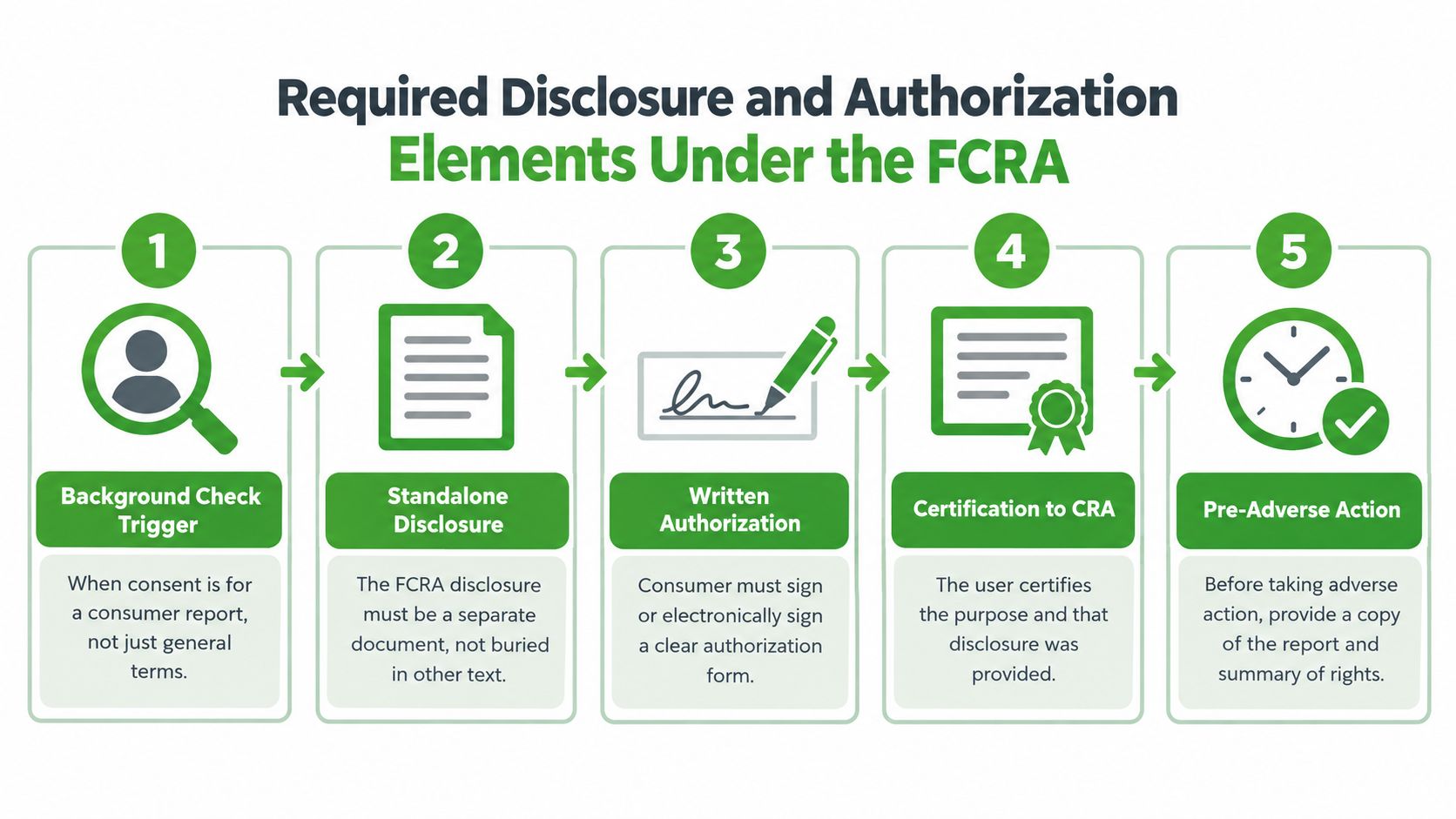
Separate the decisions in the workflow
A coordinator can use this sequence to distinguish the different records:
- Electronic-record consent: Does the volunteer agree to receive and retain required records electronically, with the relevant access information provided first?
- FCRA disclosure: Is the background-report disclosure presented as a standalone written notice?
- Screening authorization: Does the volunteer provide a separate written authorization before the reporting agency furnishes the report?
- Decision communications: If the report may affect placement, does the organization follow the applicable pre-adverse and adverse-action procedures?
The flow should also connect each action to the right volunteer record. Capture who acted, which version appeared, when it was presented, and whether the authorization was completed. If a volunteer withdraws from a program or asks about their records, staff need a clear route to locate the relevant documents and handle the request under the organization's policies and applicable law.
A useful reference point is privacy details for volunteers, which can help program teams think through how privacy information is presented to volunteers. For a form-focused review, see this guide to FCRA disclosure and authorization forms.
How Audit Trails Protect a Signed Record
A signed PDF can confirm that someone signed, but a volunteer-screening review may raise further questions: Which disclosure appeared? Was the file altered after signing? Can staff establish when it was delivered? An audit trail links the signed record to a verifiable history of events, helping the organization show how disclosure, authorization, and record delivery fit together.
NIST guidance on audit-trail integrity explains how digital signatures can help reveal changes to an audit trail. If an event log has been altered, verification should flag a mismatch so reviewers can distinguish the recorded history from later changes.
What the record should preserve
Configure the log as append-only, with each event linked to the preceding event through hash-chaining. Bind the finalized disclosure and authorization package's hash to a log entry, then configure verification to alert on mismatches rather than overwrite prior events. This gives staff a way to check whether the document associated with a volunteer's FCRA screening workflow still matches the one originally recorded.
The history should record when the document was presented, the volunteer's authentication and consent, finalization, delivery, and later retrieval. Keep the document version, synchronized UTC timestamps, and access and administrator activity with those events. Together, these details make the record more useful than a signature alone: staff can trace which version appeared and what happened to it afterward.
Keep the signed artifact separate from editable templates. If disclosure wording changes, retain the earlier version linked to existing consents; replacing it would weaken the connection between what the volunteer saw and the record staff later review. Failed integrity checks should raise an alert that responsible staff can investigate, not vanish into a general system log.
In a vendor demo, ask to inspect the event history and document version, then see how the system responds to an attempted record alteration.
Program teams documenting volunteer service may also find this 2026 volunteer tracking guide useful when considering how records relate across activities. For guidance on retaining and organizing records, see this overview of compliance documentation.
Integration Options That Fit a Nonprofit Stack
A small nonprofit can collect electronic consent without building a custom platform. The right option depends on where volunteer information already lives, how staff manage handoffs, and whether anyone can maintain a technical connection.
| Approach | What it looks like | Best fit |
|---|---|---|
| No-code form or hosted workflow | Staff send a link or QR code, collect consent, and retrieve the completed record from the platform. | Teams that need a straightforward process without developer support. |
| API integration | The organization's system starts a check or consent process and exchanges data through documented endpoints. | Teams that want control over the workflow or have technical support. |
| Webhook callback | A service sends an event to another system when a record or check reaches a defined status. | Teams that want to reduce manual status updates between tools. |
Use a hosted link or QR-code workflow when staff have no developer support and need a process they can access without maintaining a connection. Choose an API with webhooks when volunteer data already lives in another system and staff can test, monitor, and maintain the integration. The simpler option may fit a smaller team; a connected workflow can reduce handoffs, provided someone is responsible for keeping it working.
VolunteerBadge offers a documented REST API that lets teams run checks available through its web interface from inside AI assistants. Each check consumes one credit. Whichever route you choose, connect the FCRA steps rather than passing only a volunteer's name and receiving a screening status. The system should preserve the disclosure presented, the volunteer's authorization, and the resulting record in a way staff can retrieve if the connection fails. Decide where each item will be stored before setting up the integration.
For an example of hiring workflows connected across systems, see how Australian ICT panel suppliers automate hiring. Teams planning a program-specific connection can use this background-check API integration guide to frame implementation questions.
Why a Valid Signature Can Still Leave You Exposed
A valid signature doesn't guarantee that a volunteer could access the record, that the organization retained the correct version, or that staff can retrieve it when needed. E-SIGN's record requirements concern accurate reproduction and accessibility for the legally required period, not merely recording that a signature event happened (FTC statement on E-SIGN).
Consider a volunteer who signs on a shared kiosk but never receives a copy. Later, the volunteer asks what they authorized, and the organization can find only a database field marked “complete.” The signature status may be accurate, but the record doesn't answer what was presented or whether the volunteer could keep it.
Other gaps can be just as practical. A disclosure may have changed after the volunteer signed, a mobile form may not work for someone using assistive technology, or a signer may not understand the language presented. A screening workflow may also proceed despite missing or inconsistent information that staff should have reviewed first. Each problem points to a different control: retained document versions, access evidence, delivery records, language options, or a clear pause for data review.
Buy evidence, not just a signature widget. Ask vendors to demonstrate what the organization can retrieve when a volunteer questions the process.
This changes the buying conversation. Instead of asking only whether the platform captures electronic signatures, ask whether it can show the exact content, the person's action, the time and delivery context, and the record's integrity afterward. A workflow that creates those answers is more useful than a polished signing screen with no reliable trail behind it.
A Nonprofit Feature Checklist for Evaluating Vendors
Use a vendor demo to test the actual workflow, not just the signing screen. These yes-or-no questions can help a program manager compare options without needing to interpret every technical detail.
- Disclosure and authorization: Can the vendor present the FCRA disclosure separately from the written authorization?
- Record evidence: Does the completed file retain the disclosure version, signer identifier, timestamp, and delivery record?
- Volunteer access: Can the volunteer review the record in the format used, receive a copy, and retrieve it later?
- Integrity controls: Can the vendor show a tamper-evident event history and explain what happens if verification fails?
- Integration fit: Can staff complete the workflow through the website, and can the system exchange records or status updates with the tools the nonprofit already uses?
- Screening process: Does the platform flag incomplete or inconsistent information before the organization proceeds?
- Decision support: If a report could affect placement, does the vendor explain how its tools support the organization's pre-adverse and adverse-action process?
A vendor that offers a free digital disclosure and authorization, an address-history review, or notice-generation tools may reduce separate administrative steps. Those features don't replace the organization's responsibility to understand its obligations, but they can make the process easier to manage. Ask the vendor to demonstrate how a record moves from presentation through retrieval, then note any step that still depends on a staff member searching inboxes or folders.
Putting It Together for Your Volunteer Program
Start by reviewing one onboarding form and separating general program consent from FCRA disclosure and screening authorization. Then confirm that your system preserves the disclosure version, timestamp, and completed record. Finally, choose an integration path your team can maintain. Electronic consent software earns its place through evidence quality, especially as AI-assisted onboarding creates new ways to start and manage workflows.
VolunteerBadge provides nonprofit background screening with a digital disclosure and authorization workflow, screening integrations, and records connected to volunteer applications. Review how its tools fit your onboarding process and visit VolunteerBadge to explore the options.
