
Criminal Record Check Online: A Nonprofit Guide for 2026
Learn how to run a criminal record check online for your nonprofit while staying FCRA compliant. Step-by-step guide updated for 2026.
On this page
Roughly 94% of background checks return no criminal finding at all, yet the compliance process remains mandatory and essential for any nonprofit using third-party screening. A clean result doesn't remove the need for proper disclosure, authorization, identity verification, and documented decision-making.
That sounds counterintuitive until you look at what creates risk. The report itself is only one stage of a volunteer screening workflow. Most disputes arise after a provider returns a possible match, when a coordinator treats an unverified record as fact, skips the applicant's opportunity to respond, or applies a blanket exclusion rule that doesn't relate to the volunteer's duties.
I've seen small nonprofits build a careful screening process, then undermine it with one informal email or one unchecked database hit. The practical standard for a criminal record check online isn't just speed or the number of records searched. It's whether your organization can show how it obtained consent, confirmed identity, interpreted the record, and reached a consistent final decision.
Practical rule: A background report is an input to a volunteer decision, not the decision itself.
Table of Contents
- Why Most Nonprofits Are Overpaying for Volunteer Screening
- The Essential FCRA Pre-Screening Steps
- How Identity Resolution and Data Verification Work
- Interpreting Results Through a Compliance Lens
- Managing the Adverse Action Process Correctly
- Integrating Screening Into Your Workflow
Why Most Nonprofits Are Overpaying for Volunteer Screening
Roughly 94% of background checks return no criminal finding at all, according to industry analysis of screening volumes for nonprofit sectors. That figure should change how a small organization evaluates screening costs. If almost every report is clean, paying a premium for a branded portal, recurring subscription, or bundled administrative layer may not deliver proportional value.
This doesn't mean nonprofits should buy the narrowest search available. A clean result is useful only when the provider searched relevant sources, matched the correct person, and followed a process that makes the result legally usable. A fast database response with weak identity resolution can create more work than it saves.
The better question is not, “How can we make every check more elaborate?” It's, “Which parts of the workflow protect volunteers and the organization, and which parts are just markup?”
Where screening value actually comes from
A responsible provider should help with more than returning a name and a status. The useful parts of the service include:
- Relevant source coverage: The search should reach the jurisdictions and registries that matter for the volunteer's identity and assignment.
- Identity resolution: The provider should use multiple identifiers rather than treating a similar name as proof of a match.
- Record verification: A possible database result should be checked against an authoritative court or registry source before it affects eligibility.
- Decision support: The workflow should help staff document review, notices, disputes, and the reason for the final outcome.
- Predictable billing: A nonprofit should understand whether it pays for a search, a report, a subscription, or additional manual research.
The background check pricing guide can help coordinators compare those cost structures without confusing a low headline price with a complete process.
Why the clean majority still matters
The fact that most checks return no criminal finding doesn't make the minority of concerning reports unimportant. It creates a useful operational distinction. Routine clean reports should move through an efficient process, while possible matches should trigger a controlled human review rather than an automatic rejection.
That distinction saves staff time and reduces the temptation to use a blanket rule. If every report receives the same manual treatment, coordinators spend energy on routine cases and may rush the cases that genuinely need careful analysis.
The Fair Credit Reporting Act, or FCRA, should be treated as a protective layer, not an administrative nuisance. Its disclosure, authorization, accuracy, and adverse-action requirements give volunteers a chance to understand how their information is being used. They also give the nonprofit a defensible record showing that safety decisions weren't based on rumor, guesswork, or an unexplained vendor label.
The Essential FCRA Pre-Screening Steps
Before a provider runs a consumer report, the nonprofit needs three separate pieces of process: a standalone written disclosure, the volunteer's written authorization, and the organization's certification to the consumer reporting agency. The FTC guidance on employer background checks states that organizations using a consumer reporting agency must provide the disclosure, obtain authorization, and certify compliance before running the check.
The order matters. Don't collect a report first and try to repair the paperwork later.
Start with a standalone disclosure
The disclosure should tell the volunteer that the organization may obtain a consumer report for screening purposes. It must stand on its own. Don't bury it inside a volunteer application that also asks about availability, emergency contacts, references, medical information, or conduct policies.
A disclosure that looks like a general application paragraph may fail to provide the clear notice the FCRA expects. Keep the document separate, readable, and limited to the disclosure purpose. Avoid adding waivers, liability releases, or unrelated policy language that makes it harder for the volunteer to understand what they're agreeing to.
The form should also identify the organization requesting the report and explain the general purpose of the screening. If local law or a sector-specific rule adds requirements, the federal form won't replace them.
Obtain explicit written authorization
The authorization should be a distinct action, even if the disclosure and authorization appear in the same carefully designed screening packet. The volunteer needs to affirmatively authorize the organization to obtain the report.
A practical workflow records the completed form, the signer's identity, and the time of authorization. Electronic signatures can work when the system preserves a reliable record of what the person saw and accepted. Don't rely on a verbal “that's fine” during orientation, and don't treat participation in a youth program as implied consent.
Use the authorization for the screening purpose described. If the nonprofit later wants to run a different type of report or use the information for another decision, review whether fresh notice and authorization are needed.
Complete the organization's certification
The nonprofit must certify to the consumer reporting agency that it has provided the required disclosure, obtained authorization, and will use the report for a permitted purpose. This is the organization's formal assurance that the search isn't being ordered casually or for an undisclosed reason.
Before activating a portal or integration, assign responsibility for that certification. Someone should know which policy governs the report, who can view it, how long records are retained, and what happens if a possible match appears.
The form isn't the workflow. A signed authorization that can't be retrieved later won't help much when a volunteer disputes the process.
A simple folder or case record should preserve the disclosure version, authorization, certification, consent timestamp, and the role for which the check was ordered. The FCRA disclosure and authorization form guide can help small teams structure those documents before they connect a screening provider.
How Identity Resolution and Data Verification Work
A name match isn't an identity match. This is the point where many online screening workflows become unreliable. A volunteer coordinator sees a familiar name, an approximate birth date, or a location that looks plausible, then assumes the report belongs to the person who submitted the application.
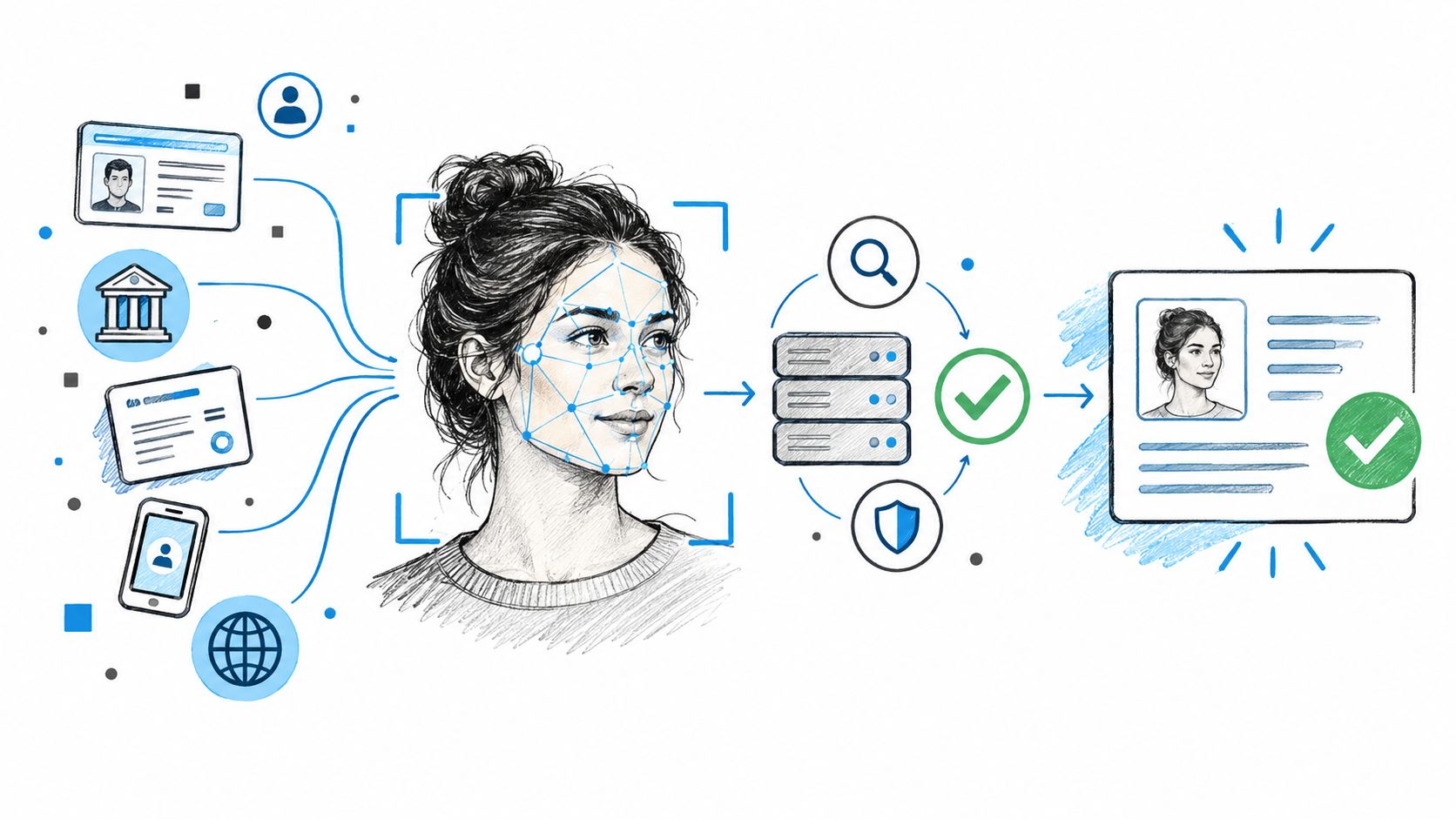
The safer approach separates identity resolution from record retrieval. First, the system establishes which person is being screened. Then it searches relevant sources associated with that identity. Finally, a reviewer verifies the record and its legal status before the result reaches a volunteer decision.
Why address history deserves attention
Address history isn't just background information. It helps identify jurisdictions that may be relevant to the search and exposes gaps between what the volunteer reported and what the screening data suggests.
A gap doesn't prove misconduct. It signals uncertainty. The coordinator may need to clarify a move, confirm an older address, or determine whether a county search should be added. If the system skips an address that matters, a broad national database query may give staff a false sense of completeness.
Identity resolution can use the volunteer's name alongside date of birth, prior addresses, aliases, and other available identifiers. The organization should limit access to information that isn't needed for the screening decision, but it shouldn't accept a name-only match as sufficient proof.
The Consumer Financial Protection Bureau's January 2025 guidance states that matching consumer records solely by name violates the FCRA. A nonprofit should therefore treat a name-only result as an unverified lead, not as a confirmed criminal record.
National searches and local verification serve different purposes
A national or multi-jurisdiction database search can help identify where further research may be necessary. It can be efficient for locating potential records across jurisdictions, especially when a volunteer has lived in more than one place.
It doesn't replace county-level or primary-source verification. Court records contain the details that determine what transpired, including disposition, jurisdiction, identifiers, and current legal status. A database may show an arrest or charge without reflecting a dismissal, reduction, sealing, or other final outcome.
That creates a two-stage workflow:
- Locate potential records: Use a broad search to surface jurisdictions and possible matches.
- Verify before deciding: Check the underlying court or authoritative source, reconcile identity details, and confirm the disposition.
More records don't necessarily mean a better check. A larger database can increase apparent coverage while also increasing false-positive risk if it contains stale information or weak matching logic. Quality comes from the connection between coverage, identity evidence, source verification, and documented human review.
Interpreting Results Through a Compliance Lens
A possible hit is an invitation to investigate, not permission to reject. The most dangerous moment in a volunteer screening workflow often comes immediately after a coordinator opens the report and sees a concerning entry.
Arrest information deserves particular care. An arrest isn't proof that a person committed a crime, and an unresolved-looking entry may not reflect the final court outcome. Before making any eligibility decision, the reviewer should confirm the person's identity, the jurisdiction, the case details, and the final disposition.
Replace blanket rules with role-specific criteria
A rule such as “any criminal record means denial” may seem easy to administer, but it can create unfair and legally risky outcomes. A nonprofit should define its criteria before reviewing individual reports, then apply those criteria consistently.
Relevant considerations can include:
- Role connection: Does the information relate directly to duties such as supervising children, handling money, transporting participants, or entering private homes?
- Offense category: Is the conduct relevant to the specific safety concern the screening policy addresses?
- Recency: How much time has passed, and does the organization's policy define a consistent way to evaluate that factor?
- Final disposition: Was the matter dismissed, reduced, sealed, expunged, or resolved through another outcome?
- Rehabilitation and context: Has the volunteer provided information that changes how the organization should assess present suitability?
- Assignment alternatives: Could the person serve safely in a different role with appropriate supervision or restrictions?
The EEOC's federal-sector analysis reported that 22.3% of 91,852 closed adjudication cases from fiscal years 2018–2020 were flagged for criminal-conduct issues. That figure shows that criminal-conduct information can appear frequently in formal suitability decisions, but it isn't a universal failure rate and doesn't justify automatic rejection.
Document the reasoning, not just the result
A reviewer should be able to explain why the record was considered relevant, what evidence was checked, and how the policy applied to the assignment. “Red flag” isn't a sufficient rationale. Neither is “the vendor returned a match.”
Record the source reviewed, the identifiers that supported or weakened the match, the final disposition, the reviewer's conclusion, and any information the volunteer submitted. If the organization decides that a volunteer isn't eligible, the record should show why that criterion was necessary for the particular assignment.
The same discipline applies to clean reports. Store the result and the scope of the search so staff know what the report did and didn't cover. A clean report doesn't prove that every possible record in every jurisdiction was searched.
A defensible decision answers two questions: Does this record belong to the volunteer, and is it relevant to this volunteer role?
If the answer to either question is uncertain, pause the decision. Seek clarification, verify the primary source, and follow the notice process before reaching a final outcome. This protects the organization from erroneous exclusions while preserving a consistent safety standard.
Managing the Adverse Action Process Correctly
A nonprofit shouldn't turn a possible match into a final rejection through an informal email. If the report may influence a decision to deny a volunteer opportunity, the organization generally needs to provide the report, explain the person's rights, and allow an opportunity to dispute inaccurate or incomplete information before final adverse action. The FTC's adverse-action guidance describes this general sequence for organizations using consumer reports.
The volunteer's unpaid status doesn't automatically make the process irrelevant. If a consumer reporting agency supplied the report for a decision about participation, the nonprofit should have counsel assess which FCRA and local requirements apply rather than assuming volunteer screening is exempt.
The pre-adverse stage
Once the organization has made a preliminary decision that the report may disqualify the volunteer, send a pre-adverse-action notice. The packet should include:
- A copy of the consumer report: The volunteer needs to see the information that may affect the decision.
- A summary of FCRA rights: Include the applicable rights document rather than assuming the person knows how to dispute the report.
- A clear opportunity to respond: Explain how to identify inaccurate information and where to send supporting documents.
- A pause before final action: Give the person a meaningful opportunity to challenge the report before the organization finalizes its decision.
Don't write an email that says, “Your background check failed, so you can't volunteer.” That phrasing treats a preliminary report as a final fact and doesn't preserve a fair review path.
Review disputes before deciding
Assign someone to receive and assess the response. Compare the volunteer's information with the provider's report and the underlying court source. If the provider needs to reinvestigate, wait for the corrected result before making a final decision.
Keep the timeline. Save the date the pre-adverse notice was sent, the report and rights summary delivered, the volunteer's response, any corrected report, and the reviewer's conclusion. An audit trail turns a vague allegation of procedural failure into a record of what the organization did.
Send the final notice when appropriate
After the review is complete, the organization can decide whether the volunteer meets the role criteria. If it takes final adverse action, the final notice should identify the consumer reporting agency, provide the agency's contact information, and explain that the reporting agency didn't make the eligibility decision. It should also describe the volunteer's dispute rights.
The adverse action notice requirements guide provides a practical checklist for coordinators who need to formalize this sequence.
Automation can generate the correct documents and preserve timestamps, but it can't replace individualized judgment. A system that sends notices without verifying the record or considering the volunteer's response only automates a bad decision faster.
Integrating Screening Into Your Workflow
The right technical setup depends on how volunteers enter the organization and who owns the review. A small church with occasional onboarding may work efficiently through a secure screening portal. A youth organization that manages applications in a volunteer database may benefit from an API connection. A larger network may need webhooks so staff aren't repeatedly checking whether reports are ready.
The FBI's Next Generation Identification infrastructure shows how far electronic record exchange has developed. Its fact sheet indicates that approximately 25,000 federal, state, local, tribal, and international partners submitted criminal or civil electronic records during a single month. That scale demonstrates the reach of electronic information systems, but it doesn't remove the need for source verification or careful interpretation.
Choose the least complex workflow that preserves control
Manual portal use is often the sensible starting point. It gives a coordinator a visible sequence for inviting the volunteer, confirming authorization, ordering the report, reviewing the result, and recording the outcome. The weakness is duplication. Staff may retype names, copy status updates into spreadsheets, or lose track of which notice belongs to which case.
An API can connect screening to an existing volunteer profile. That reduces repeated entry and can prevent a coordinator from ordering a report for the wrong person. It also raises governance questions. Decide which system is the source of truth, who can trigger a search, how failed requests are handled, and where consent records are stored.
Webhooks are useful when the provider can notify your system that a report is ready or needs review. They eliminate constant status checking, but the receiving system should still authenticate events, record them, and route possible matches to a human queue rather than automatically changing eligibility.
Natural-language interfaces can help coordinators find information in a report, but they shouldn't be allowed to invent dispositions or make unsupervised eligibility decisions. Keep the original report, source details, reviewer notes, and notice history available for inspection.
Small nonprofits that lack internal compliance capacity may also consider virtual legal assistant services for administrative support with document organization, workflow tracking, and records management. Legal assistants can help maintain a process, but they shouldn't substitute for qualified legal advice on a difficult record or jurisdiction-specific rule.
Start with a written process map. Identify each handoff from application to authorization, search, verification, review, dispute, and final decision. Then automate only the repetitive steps that preserve those controls. The best integration is the one staff can operate consistently without hiding important decisions inside an opaque status label.
VolunteerBadge helps nonprofits run online volunteer screening with a structured FCRA workflow, including disclosure and authorization records, identity verification, report review, and automated pre-adverse and final adverse-action notices when needed. Visit VolunteerBadge to see whether its screening and integration options fit your organization's volunteer onboarding process.
