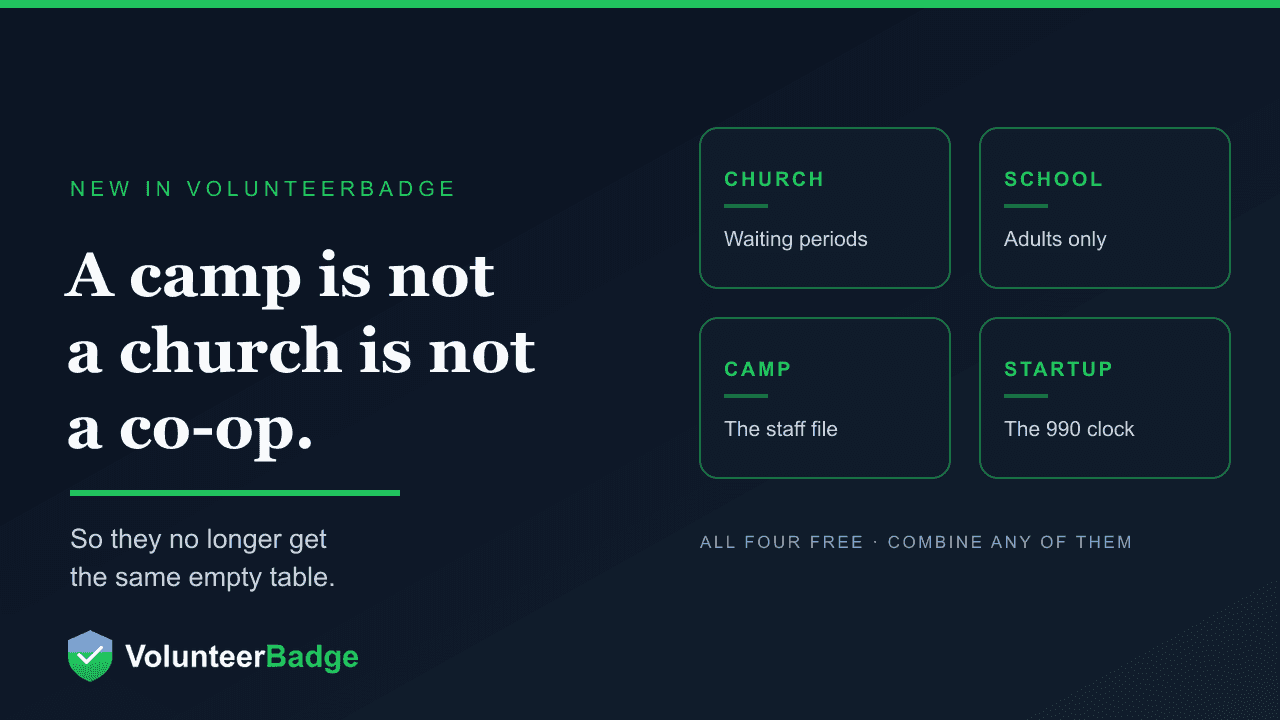
Four Modes, Because a Camp Is Not a Church Is Not a Co-op
A congregation, a homeschool co-op, a summer camp and a two-month-old 501(c)(3) have almost nothing in common operationally — and general-purpose volunteer software makes all four do the same thing. VolunteerBadge now has Church, School, Camp and Startup tools: free, switched on by what you actually are, and switched off again without touching a single check.
On this page
A youth pastor, a homeschool co-op registrar, a camp director and a founder two months past their determination letter will all tell you they need “volunteer management.” Watch them work for an hour and you will see four unrelated jobs. The congregation is tracking a waiting period before anyone is alone with children. The co-op is tracking which parents owe service hours. The camp is building a staff file that has to survive an accreditation visit. The founder is trying not to miss a federal deadline that would quietly end their exemption.
General-purpose software handles this by giving all four the same empty table and a column called “Notes.” We have taken a different route. VolunteerBadge now has four sets of tools — Church, School, Camp and Startup — that turn on according to what your organization actually is. All four are free. None of them is a plan you upgrade to.
Why modes, rather than settings
The obvious way to serve four audiences is a long settings page with four groups of checkboxes. We did not do that, for a reason worth stating plainly: a feature that a food bank can see but never needs is a tax on the food bank. Every irrelevant screen is one more thing to scroll past, one more thing to explain to a new volunteer coordinator, one more thing that makes simple software feel like enterprise software.
So a mode is not a preference. It is a claim about what kind of organization you are, and the product reshapes around it. A foundation never sees a single ministry screen. A camp never sees household service-hour tracking. The screens are not greyed out or locked behind an upsell — they are not there.
How a mode turns on
Usually from what you told us at sign-up — choosing Church as your type, answering “Is this a camp?”, or an IRS record showing a recent 501(c)(3) determination. Where we can only guess, the dashboard shows exactly one line offering to turn the tools on, and “Not now” hides it for good.
How it turns off
Settings → Organization, one switch, with a confirmation. Turning a mode off hides its screens and keeps the rows underneath. It does not change your background checks, volunteers, credits or badges. Nothing you have paid for is behind a mode.
They also combine. A congregation that runs a summer camp turns on Church tools and Camp tools. A church that hosts a co-op can run all three. Startup tools sit alongside any of them.
Church tools — the waiting period is the feature
Safe-ministry practice is not mainly about background checks, and congregations that have been through a real incident know it. The control most insurers and denominations actually ask about is the waiting period: a span of time a person must be part of the congregation before they can serve with children.
Most software has nowhere to put that, so it lives in a policy document nobody opens. In Church tools it is a field. Settings records the denomination, the parent body, campuses, typical attendance, the insurer, and the congregation’s waiting period in months — and marking a ministry as involving direct child contact makes it use that waiting period, while other ministries keep their own.
That is the difference between a policy you have and a policy that is enforced. The number is attached to the roles it governs, so the question “has this person been with us long enough to do this?” has an answer on screen rather than in somebody’s memory.
School tools — adults only, on purpose
School tools cover a co-op, a private or public school, a PTA or an after-school program. The most important sentence about them is what they refuse to do: they track adults, and they do not store student records.
That is a deliberate line, not a gap in the roadmap. Student data brings FERPA, state privacy statutes and a duty of care we are not the right custodian for. Keeping children out of the system entirely means a co-op can use this without a privacy review, and means we can never be the place a student record leaks from.
The second deliberate choice is what a school sees when a check comes back. Results start as Clear or Needs review — no record text, no PDF — because the volunteer parent at a co-op sign-in desk does not need the details of somebody’s twenty-year-old conviction in order to run the desk. An owner can change that under Settings if their situation genuinely requires it. The default is the privacy-preserving one.
Camp tools — a staff file that survives an inspection
Camp tools build the camp’s staff file: the thing an accreditor, a licensor or an insurer asks to see. They do not register campers — camps already have software for that, and we are not trying to replace it.
The honest caveat is written into the product documentation rather than hidden from it: a background check does not replace supervision. Most reported harm at camp happens between campers, in moments where a check has nothing to say. Camp tools exist to make the adult file defensible and fast to assemble. Supervision ratios, line-of-sight rules and the training that makes them real are the camp’s job, and no screening product should imply otherwise.
We would rather say that out loud than sell a background check as a safety programme. A camp director who believes screening is sufficient is in more danger than one who knows it is the floor.
Startup tools — for the organization that is three months old
This is the one built from watching a specific failure happen repeatedly.
A new 501(c)(3) does not lose its exemption to scandal. It loses it to a calendar. Three consecutive years without filing a Form 990, 990-EZ or 990-N and exemption is revoked automatically — no warning letter, no appeal, and reinstatement means paying the IRS user fee again. It happens to organizations whose programs are going well, because the person doing the programs is also the person who was supposed to do the filing.
Startup tools are a free page for the first years: the annual-return date taken from the IRS record on file, donor receipt tools, and a short funder checklist for the questions grantmakers ask before they will consider you.
They turn on by themselves when the IRS determination date is within 36 months and the record is a 501(c)(3) — and note that is the determination date, not the incorporation date, which are often a year apart. An organization with no EIN on file, or one we cannot find, gets a single dashboard offer instead.
What this is really about
The reason these are free is the same reason a background check is $5.
The organizations that most need volunteer management software are the ones least able to buy it. A congregation of ninety people, a co-op run by six families, a camp that operates for eleven weeks a year, a nonprofit three months past incorporation — none of them is going to approve a per-seat SaaS contract, and most of the sector is made of exactly these. So they run on a spreadsheet, a group chat and somebody’s memory, and the screening that should happen does not, because the quote came back at more than the programme budget.
We make our money on $5 checks. That means the software around the check does not need to be a profit centre, and it means the right business decision and the right decision for a ninety-person congregation are the same decision. Free volunteer management is not a loss leader here; it is what the model allows.
Turning them on
If you signed up and told us what you are, the right tools are probably already on. If the dashboard has offered you a mode, the offer is one line and “Not now” genuinely means not now. Otherwise:
- Settings → Organization → Church tools
- Settings → Organization → School tools
- Settings → Organization → Camp tools
- Settings → Organization → Startup tools
Owners and admins can switch any of them on or off. Combine whatever fits — a church that runs a camp and hosts a co-op can have three on at once.
Full documentation for each is on support.volunteerbadge.com: Church tools, School tools, Camp tools and Startup tools.
Not using VolunteerBadge yet? Create your organization — screening is $5 a check with no contract, and whichever of these fits you is included.
