How to Add Volunteer Experience to LinkedIn (With Certificates)
Step by step for volunteers and Academy learners: add your volunteer role and VolunteerBadge certificates to LinkedIn, what the credential link shows, what never to share, and the hiring and retention research on why showing your service is worth it, for volunteers and nonprofit leaders.
On this page
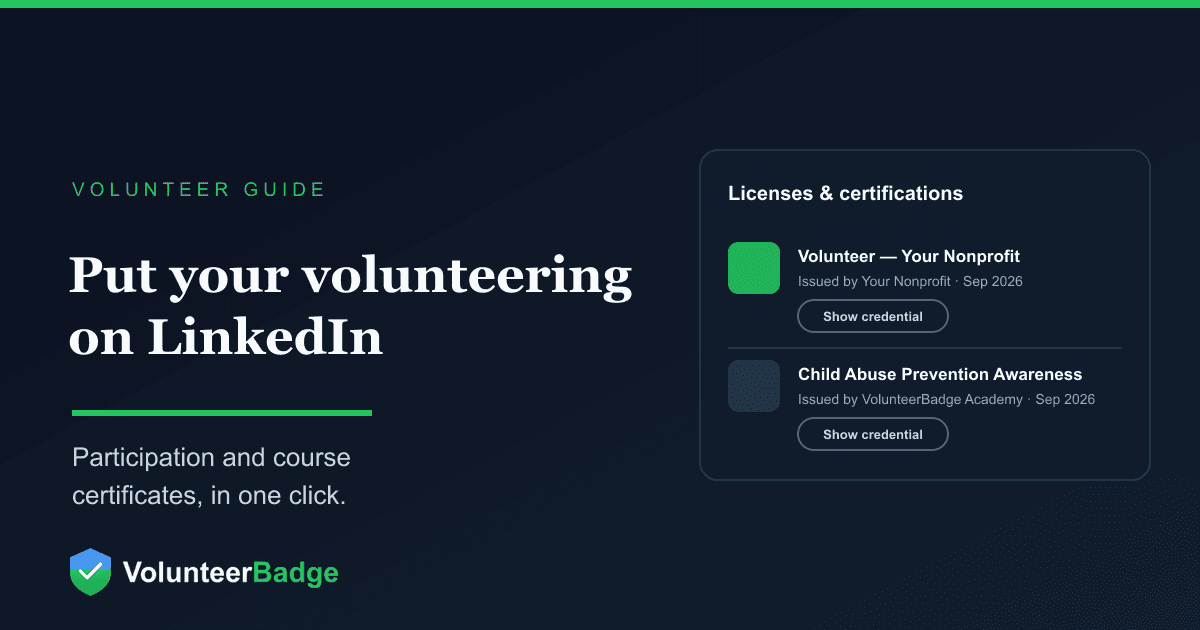
To add volunteer experience to LinkedIn, use two profile sections: Volunteer experience for the role you held, and Licenses & certifications for any certificate an organization or course issued you. If your nonprofit uses VolunteerBadge, an Add to LinkedIn button sends your certificate's details to LinkedIn's add-certification form, and you check and save the entry yourself. This guide walks through both routes, the evidence that showing your service is worth it, and how nonprofit leaders can encourage it without pressuring anyone.
The two LinkedIn sections that fit volunteering
LinkedIn keeps volunteering and credentials in separate places. Its help center lists Licenses & certifications among the recommended profile sections and Volunteer experience among the additional ones, both added from the Add profile section button near the top of your profile. They do different jobs, and a strong profile often uses both.
| Volunteer experience | Licenses & certifications | |
|---|---|---|
| What it says | The role you held, where, when and what you did | That an organization issued you a credential on a date |
| Best for | Showing responsibility, skills and results | Giving viewers something they can click through and check |
| Who writes it | You, in your own words | Mostly the issuer's details: name, issuer, date, ID and link |
| VolunteerBadge helps? | No. You write it (tips below) | Yes. The Add to LinkedIn button sends the details; you check and save |
Should I put volunteering on LinkedIn?
For most people, yes. None of the evidence below proves that one profile entry changes an outcome, but together it makes a fair case for showing service you already did.
What hiring surveys say about volunteer experience
The most-cited study is the 2016 Deloitte Impact Survey, which polled 2,506 employed people in 13 major U.S. metro areas who influence hiring decisions. In it, 82% said they were more likely to choose a candidate with volunteer experience, 85% said they would overlook other weaknesses on a resume when volunteer work was included, and 92% said volunteering expands a person's professional skill set. The same release reported that only about 30% of resumes include volunteering. The practical point is the gap: most candidates leave it off.
LinkedIn published figures of its own in 2014. In a post announcing its Volunteer Marketplace, Reid Hoffman wrote that in a recent LinkedIn survey, 42% of hiring managers said they consider volunteer work equivalent to full-time work experience, and 20% said they had hired someone because of their volunteer experience. The post gives no methodology, and the numbers are more than a decade old, so treat them as a signal rather than a current benchmark.
The benefits of volunteering for your career
The strongest national evidence comes from federal survey data rather than opinion polls. In Volunteering as a Pathway to Employment (June 2013), researchers at the Corporation for National and Community Service followed 70,535 people who were out of work, using Current Population Survey data from 2002 to 2012. Volunteering was associated with 27% higher odds of being employed at the following year's survey. The association was strongest for people without a high school diploma or equivalent (51% higher odds) and for people living in rural areas (55% higher odds).
The study does not establish that volunteering causes employment, and volunteers may differ from non-volunteers in ways the data cannot see, such as motivation. What it does show is a stable pattern across gender, race and ethnicity, age and local unemployment rates.
Beyond the numbers, volunteering gives you things a job search needs:
- Evidence of skills. Leading a Saturday crew, training new volunteers, running an event budget or handling a tense intake conversation are all skills an employer recognizes when you describe them plainly.
- References. A coordinator who has watched you show up for two years can speak to your reliability. Ask before you list them.
- A wider network. Board members, staff, other volunteers and the organization's partners are people you would not otherwise meet. When you add volunteer experience and select the organization, LinkedIn for Nonprofits says the nonprofit's name and logo appear on your profile with a link to its LinkedIn Page, which makes the connection easy for others to follow.
Employer volunteer programs
If your employer runs a volunteer program, or matches volunteer hours with a grant to the nonprofit, a LinkedIn entry is not a substitute for logging your hours through that program. Our guide to companies that match volunteer hours explains how these "dollars for doers" grants typically work and how nonprofits claim them.
The personal side
You are in large company. The Census Bureau and AmeriCorps estimate that more than 75.7 million people, or 28.3% of Americans age 16 and older, formally volunteered through an organization between September 2022 and September 2023, giving 4.99 billion hours with an estimated economic value of more than $167.2 billion. There is a health dimension too: a 2007 federal review of research by the Corporation for National and Community Service found that people who volunteer have lower mortality rates, greater functional ability and lower rates of depression later in life than those who do not. It found older volunteers most likely to benefit. Two studies of older adults in the review put the threshold for those benefits at about 100 hours a year, and a third found the lowest mortality risk from about 40 hours a year.
How to add a certificate to LinkedIn with VolunteerBadge
In September 2026 VolunteerBadge added Add to LinkedIn buttons for two kinds of certificate. They use LinkedIn's public Add to Profile link for the Licenses & certifications section. You click Add to LinkedIn, LinkedIn opens its add-certification form, and the link passes along the certificate's name, issuing organization, issue month and year, credential ID and credential URL. You review the entry and save it yourself. One caution: LinkedIn's Add to Profile FAQ says these buttons no longer autofill certificate details and that members enter the information themselves, so some fields may arrive blank. Every detail is on your certificate (see the table below), so type in anything that did not come through. You do not need to sign in to VolunteerBadge with LinkedIn or connect the two accounts.
Volunteer participation certificate, step by step
When an organization approves you as a volunteer in VolunteerBadge, a participation certificate is issued automatically. It confirms that you volunteer with that organization, and nothing more. The organization makes the approval decision, not VolunteerBadge.
- Sign in to your volunteer portal at volunteerbadge.com/badge.
- Find the organization that approved you and select Share my certificate. A panel opens with your sharing options.
- Select Add to LinkedIn. LinkedIn opens its add-certification form in a new tab, with your certificate details passed along.
- Check each field against your certificate and fill in anything missing. Our link sends your nonprofit's name as plain text, not as a link to its LinkedIn Page. If your nonprofit has a LinkedIn Page, look at the Issuing organization field, and if LinkedIn suggests the Page as you type, you can choose it.
- Save on LinkedIn. The entry is yours to edit or delete later, like any other.
If you would rather not open the portal, the "Show your volunteering" email VolunteerBadge sends volunteers has the same Add to LinkedIn button, plus Facebook and X share buttons and a link to the certificate.
The same Share my certificate panel also offers Download certificate (a Certificate of Appreciation PDF), an optional Certificate of Service PDF showing your verified hours, Announce buttons to post about it on LinkedIn, Facebook or X (shown while public sharing is on), and an Allow public sharing toggle. Hours are not part of the LinkedIn credential. They stay in the downloadable Certificate of Service, which is the document to share with an employer volunteer program or a school that asks for verified hours.
What the Add to LinkedIn link sends
| LinkedIn field | Participation certificate | Academy certificate |
|---|---|---|
| Name | Volunteer — [organization name] | The course title |
| Issuing organization | The nonprofit | VolunteerBadge Academy |
| Issue date | Month and year issued | Month and year issued |
| Credential ID | The certificate ID | The certificate ID |
| Credential URL | volunteerbadge.com/p/[token] | academy.volunteerbadge.com/verify/[certificate ID] |
The public participation page that the credential URL opens shows only your name, the organization, the issue date and the certificate ID, with Download PDF, Add to LinkedIn and an Announce share bar. It states that it confirms volunteer participation only. It never shows screening status, hours or a background-check report, and it is set so search engines do not index it. If the organization later changes your status away from approved, the certificate is revoked.
VolunteerBadge Academy certificate, step by step
VolunteerBadge Academy offers free, self-paced courses at academy.volunteerbadge.com, from volunteer basics to topics like Child Abuse Prevention Awareness. A certificate of completion is issued the moment you pass a course's exam.
- Pass the course exam. The completion screen shows Add to LinkedIn.
- If you skip it there, the same button appears in My Learning, on the certificate's public verification page, in the training section of your volunteer portal, and in the certificate email (which also has Download your certificate).
- Select Add to LinkedIn, check the entry (course title as the name, VolunteerBadge Academy as the issuer), fill in anything missing and save it on LinkedIn.
The verification page marks the certificate as verified and shows who it was awarded to, the organization (if any), the course, the date of attainment and the certificate ID. Be precise about what it is: a certificate of course completion. It is not a license, an accreditation, continuing education credit or a professional certification, and your LinkedIn wording should not suggest otherwise.
Keep public sharing on if you want the link to work
The Allow public sharing toggle belongs to the volunteer. When it is off, the public participation page hides your name and the organization and shows "This certificate is not available." Download and Add to LinkedIn still work. The trade-off is that anyone who follows the credential link on your LinkedIn entry (at the time of writing, LinkedIn labels it Show credential) will not see your certificate. If you want viewers to be able to check it, leave sharing on. If privacy matters more to you, turn it off; the entry still lists the issuer, date and ID.
How to add volunteer experience to LinkedIn by hand
The certificate proves participation; the Volunteer experience entry explains what you did, and no button can write it for you. From your profile, open Add profile section, find Volunteer experience among the additional sections, and start typing the organization's name. Pick it from LinkedIn's suggestions if it appears, so the entry links to the nonprofit's Page. Then add your role, your dates and a short description.
Writing an entry that reads like experience
- Use a role title that says what you did. "Volunteer" tells a reader nothing. "Weekend distribution lead" or "Youth reading mentor" does.
- Lead with responsibility. Who did you lead, train, serve or support? What were you trusted with?
- Use numbers you can stand behind. Hours, people trained, events run. If your organization logs hours, your Certificate of Service is the record to check against.
- Name the transferable skill. Scheduling, de-escalation, fundraising, bookkeeping, event logistics, teaching.
Here is a hypothetical example of the difference:
Weak: Volunteer at a food pantry. Helped out on weekends.
Stronger (example): Weekend distribution lead. Run Saturday shifts with a rotating crew of volunteers, train newcomers on intake and food-safety procedures, and reorganized the sign-in table to shorten the morning line.
The same description works for volunteering on your resume, where most candidates still leave it off.
What not to share about volunteering
Showing your own service is one thing. Showing the people you serve is another, and it is where good intentions cause real harm.
- Never post names, photos or identifying stories of the people you serve, and especially not children. A proud photo from a youth program or a hospital visit can expose someone who never agreed to be seen.
- Do not reveal confidential locations. Domestic violence shelters and some recovery and youth programs keep their addresses private for safety reasons. A check-in or a photo with a recognizable street can undo that.
- Do not describe client situations, even without names. Small communities can identify people from a few details.
- Do not claim more than your certificate says. A participation certificate confirms participation only. Do not add words like "cleared," "screened" or "background checked" to your entry. Whether and how an organization screens volunteers is a separate process; see our overview of volunteer background checks.
- Follow your organization's policy. Many nonprofits have social media or photo rules for volunteers. When in doubt, ask the coordinator.
Why nonprofit leaders should encourage it
For an organization, a volunteer's LinkedIn entry is recognition, recruitment and reputation at once, at no cost. There is research behind each.
Recognition and retention. In a national study of charities' volunteer management practices, Urban Institute researchers Mark Hager and Jeffrey Brudney (2004) concluded that charities wanting to retain volunteers should invest in recognizing them, training them, and screening and matching them to the right tasks. They also found that only about one-third of charities had adopted public recognition of volunteers to a large degree. A certificate a volunteer can display is a simple form of public recognition.
Word of mouth. Many people volunteer because someone asked them. In the Bureau of Labor Statistics' 2015 volunteering release, 41.2% of volunteers became involved with their main organization after being asked, about the same share as those who approached it on their own (41.6%). Hager and Brudney also found that enlisting volunteers to recruit other volunteers helps retention. A volunteer's post is a quiet, standing invitation to everyone in their network.
Your name as the issuer. On a participation certificate, your nonprofit is the issuing organization, so each volunteer who adds it puts your name in front of people you would never reach directly.
Leading by example. Leaders can take Academy courses too, such as Board Member Essentials, and add those certificates to LinkedIn the same way. A director who shares their own professional development makes it normal for volunteers to share theirs. You can also assign free Academy courses to volunteers from Manage, then Compliance Roster, or from a volunteer's profile. The resulting Academy certificate belongs to the volunteer regardless of your organization's approval decision.
How to encourage it without pressure
- Mention it at orientation. One sentence is enough: once you are approved, your certificate is in your portal, and sharing it is up to you.
- Put it in your thank-yous. A milestone thank-you note is the natural moment.
- Never make it a condition. Sharing is always the volunteer's choice. It should never affect scheduling, roles or approval.
- Respect volunteers who need privacy. Someone serving in a recovery program, a domestic violence program or another sensitive setting may have good reasons not to be publicly linked to it. Tell volunteers they can turn public sharing off and still download their certificate privately.
Sample thank-you language you can adapt:
Thank you for everything you gave this season. Your volunteer certificate is waiting in your VolunteerBadge portal. If you'd like, you can add it to LinkedIn from there. If you'd rather keep your volunteering private, that's completely fine, and you can download a copy for yourself instead.
Volunteer recognition ideas for nonprofits that pair with a certificate
- Send a Certificate of Service with verified hours at a milestone, such as a volunteer's first 50 hours or first year.
- Offer training as a thank-you: assign an Academy course that matches the role a volunteer wants to grow into.
- Write a LinkedIn recommendation or a reference letter for long-serving volunteers who ask.
- Feature volunteers in your newsletter or on your page only with their written consent, and never alongside the people they serve.
Where to start
If you volunteer with an organization that uses VolunteerBadge, open your volunteer portal, find Share my certificate, and spend five minutes writing the Volunteer experience entry to go with it. Our support guide to the volunteer portal covers certificates, hours and sharing settings in more detail. If you are looking for somewhere to serve, start with how to become a volunteer, and browse free volunteer training and certifications for courses worth adding to your profile. Nonprofit leaders can set up VolunteerBadge so approved volunteers receive a participation certificate automatically.
Frequently asked questions
Should I put volunteer work on LinkedIn?
Usually, yes. In the 2016 Deloitte Impact Survey, 82% of people who influence hiring said they were more likely to choose a candidate with volunteer experience, yet only about 30% of resumes included it. Add a Volunteer experience entry that describes what you did, and add any certificate you received under Licenses & certifications. Leave it off only if the program is sensitive and being linked to it publicly would put you or others at risk.
Where do volunteer certificates go on LinkedIn?
In the Licenses & certifications section, which LinkedIn lists among its recommended profile sections. The role itself goes in Volunteer experience. If your organization uses VolunteerBadge, the Add to LinkedIn button opens LinkedIn's add-certification form with your certificate details passed along; check each field, fill in anything missing and save.
Does LinkedIn verify the certificates I add?
Not according to its documentation. LinkedIn's help pages describe members entering certificate details themselves and do not describe LinkedIn checking them. The credential URL is what lets a viewer check a certificate: for a VolunteerBadge participation certificate it opens a public page showing your name, the organization, the issue date and the certificate ID, as long as you leave public sharing on.
Does a volunteer participation certificate mean I passed a background check?
No. A VolunteerBadge participation certificate confirms participation only. The public page never shows screening status, hours or a background-check report, and the decision to approve a volunteer is the organization's, not VolunteerBadge's.
Is a VolunteerBadge Academy certificate a professional certification?
No. It is a certificate of course completion, issued when you pass a free, self-paced course's exam. It is not a license, accreditation, continuing education credit or professional certification, so list it on LinkedIn by the course title and describe it accurately.
Can I add a certificate to LinkedIn if my organization does not use VolunteerBadge?
Yes. From your profile, open Add profile section and choose Licenses & certifications, then enter the certificate name, the issuing organization and the date by hand. Add a credential ID or URL only if the organization gave you one. Your Volunteer experience entry can stand on its own without any certificate.
Sources
- Add sections to your profile, LinkedIn Help (accessed September 2026).
- Create LinkedIn Add to Profile button for certification or degree providers FAQs, LinkedIn Help (accessed September 2026).
- Ask Every Volunteer to Do These 3 Things on LinkedIn (December 5, 2022), LinkedIn for Nonprofits (accessed September 2026).
- The LinkedIn Volunteer Marketplace: Connecting Professionals to Nonprofit Volunteer Opportunities (January 15, 2014), LinkedIn (accessed September 2026).
- Deloitte Survey Finds That a Mere 30 Percent of Resumes Include Volunteering, Despite the Known Benefits to Career Advancement (June 9, 2016), Deloitte via PR Newswire (accessed September 2026).
- Spera, Ghertner, Nerino and DiTommaso, Volunteering as a Pathway to Employment: Does Volunteering Increase Odds of Finding a Job for the Out of Work? (June 2013), Corporation for National and Community Service, via GovInfo (accessed September 2026).
- The Health Benefits of Volunteering: A Review of Recent Research (2007), Corporation for National and Community Service (copy hosted by the University of Notre Dame) (accessed September 2026).
- New U.S. Census Bureau and AmeriCorps Research Tracks Virtual Volunteering for First Time (November 19, 2024), U.S. Census Bureau (accessed September 2026).
- Volunteering in the United States, 2015 (February 25, 2016), U.S. Bureau of Labor Statistics (accessed September 2026).
- Hager and Brudney, Volunteer Management Practices and Retention of Volunteers (June 2004), The Urban Institute (accessed September 2026).
