What Is FCRA Compliance: Non-Profit Guide 2026
Discover what is fcra compliance for volunteer screening. Our 2026 guide covers requirements, risks, & a checklist for compliant nonprofit background checks.
On this page
FCRA compliance means following the federal Fair Credit Reporting Act when using background checks, also called consumer reports, to make decisions about volunteers. In practice, that means getting the volunteer's consent, providing them a copy of the report, and notifying them before taking any negative action based on what the report says.
If you're a volunteer coordinator, church administrator, school program lead, or nonprofit operations manager, you've probably heard some version of this: “We need to be FCRA compliant.” Usually that gets said right after someone suggests running background checks on coaches, mentors, drivers, or anyone working around kids.
The problem is that the phrase sounds bigger and more technical than it really is. People assume it means expensive legal review, a pile of paper forms, and a process so rigid it slows volunteer onboarding to a crawl. That's not what it has to look like. For most nonprofits, FCRA compliance is a straightforward screening workflow with a few steps you need to get right every single time.
The bigger risk isn't complexity. It's casual shortcuts. A form buried inside a volunteer application, a rushed denial email, or a report from a provider that doesn't support proper notices can turn a routine screen into a compliance problem.
Table of Contents
- Your Introduction to FCRA Compliance
- The Core Principles of the FCRA
- Does FCRA Apply to Your Volunteers
- The 5 Essential Steps for FCRA Compliant Screening
- Common Mistakes and Steep Legal Risks
- How Modern Screening Workflows Simplify Compliance
- Your Practical FCRA Compliance Checklist
- Frequently Asked Questions About FCRA Compliance
Your Introduction to FCRA Compliance
A lot of nonprofit teams first encounter FCRA in the middle of a practical problem. A board member wants checks on youth volunteers. An insurer asks about screening. A parent asks whether coaches are vetted. Then someone says your process has to be “FCRA compliant,” and suddenly a simple safety step sounds like a legal maze.
In plain English, FCRA compliance means using background checks fairly, lawfully, and transparently when a third party provides the report. The law governs how consumer reporting agencies collect and share information, and how organizations use that information when deciding who can serve in a role.
For volunteer programs, that matters because screening decisions are still decisions about access, trust, and eligibility. If a report could cause you to limit, delay, or deny a volunteer role, you need a process that respects the person's rights.
Practical rule: If your organization uses a third-party background check to decide whether someone can volunteer in a sensitive role, treat the process like a compliance workflow, not an admin task.
The good news is that this is manageable. You don't need your volunteer coordinator improvising legal language or manually assembling notices every time a report comes back with a record.
You need a clean process:
- A clear disclosure: Tell the volunteer a report may be obtained.
- Written permission: Get authorization before you run it.
- A fair review step: Don't act on a report casually.
- A notice process: If the report may affect the decision, give the person the required chance to respond.
That's what FCRA compliance looks like in practice. Not fancy. Just disciplined.
The Core Principles of the FCRA
The FCRA is easiest to understand as the rules of the road for handling sensitive consumer information. It isn't there to stop organizations from screening. It's there to make sure people aren't screened in secret, judged on bad data, or denied opportunities without knowing what happened.
The law was enacted in 1970 as Title VI of the Consumer Credit Protection Act, and it remains the foundational federal law governing how consumer reporting agencies collect, use, and share consumer information for credit, employment, insurance, and other permitted purposes, according to the FTC's Fair Credit Reporting Act overview.

Why the law exists
When nonprofits hear “consumer report,” they often think the law must be about credit cards or lending. It's broader than that. If a report from a screening provider is used to evaluate someone for a role, the law is concerned with fairness, privacy, accuracy, and notice.
That's why the FCRA focuses on a few practical ideas:
| Principle | What it means for volunteer screening |
|---|---|
| Permissible purpose | You need a legitimate reason to request the report. |
| Disclosure | The volunteer must be clearly told that screening will happen. |
| Authorization | You need written permission before running the check. |
| Accuracy | Report data must be handled carefully, especially if disputed. |
| Adverse action | If the report may lead to a denial, notice steps apply. |
The three parties in every screening decision
Every compliant background check involves three players.
First is the consumer. In your world, that's the volunteer applicant. They're the person whose information is being reported and whose rights the law protects.
Second is the user. That's your nonprofit, school, church, league, or ministry. You request the report and use it to make a decision.
Third is the consumer reporting agency, often shortened to CRA. That's the screening provider that prepares the report.
This division matters because compliance is shared, not outsourced. A provider can support good process, but your organization still has obligations. You still need the right disclosure, real authorization, and a defensible decision workflow.
A compliant provider helps. It doesn't erase the nonprofit's responsibility.
That's why provider selection matters so much in volunteer programs. If your vendor can't support the required notices, can't document consent, or pushes you toward instant decisions without a review step, the workflow is broken before your team even starts using it.
Does FCRA Apply to Your Volunteers
The most common nonprofit mistake is assuming FCRA only applies to paid staff. That assumption creates risk fast, especially in youth programs, faith communities, and service organizations where volunteers often handle sensitive responsibilities.
The short version is this: unpaid doesn't automatically mean exempt. If your organization uses a consumer report to decide whether someone can serve in a role, the law can still matter.
Where nonprofits get this wrong
Many teams mentally separate “employment law” from “volunteer management.” That sounds logical until you look at how screening is used. A volunteer mentor may work one-on-one with minors. A church driver may transport members. A treasurer may have access to donations and financial records. A school volunteer may work inside classrooms.
In those cases, the decision isn't casual. It affects whether someone is eligible for a trusted position. That's exactly why the volunteer issue is such an overlooked blind spot.
A useful explanation from Peopletrail on FCRA compliance and volunteer screening notes that many organizations assume volunteers are exempt, even though the FTC says the Act covers consumer reports used for employment and “other specified purposes,” which can include eligibility for sensitive volunteer roles. The same discussion emphasizes that adverse-action notices are required when consumer reports are used to make those decisions.
A practical way to decide
Don't start with the label “volunteer.” Start with the role.
Ask whether the person will do any of the following:
- Work with vulnerable populations: Children, seniors, patients, or people needing direct support.
- Handle money or records: Donations, accounting access, financial controls, or confidential files.
- Drive on behalf of the organization: Vans, field trips, meal delivery, or transport programs.
- Enter restricted environments: Classrooms, shelters, residences, backstage areas, or secure offices.
- Represent the organization in trust-based settings: Mentoring, counseling support, home visits, or coaching.
If the answer is yes, and you're using a third-party report to decide eligibility, you should operate as if FCRA compliance applies.
Some roles won't carry the same screening stakes. A one-day park cleanup volunteer who never works with sensitive populations or controlled access may fall into a different operational category. The point isn't that every volunteer slot must be handled identically. The point is that many nonprofit roles look a lot more like employment-style screening decisions than teams admit.
A practical habit that works is role mapping. List your volunteer positions, identify which ones involve trust, access, money, transportation, or vulnerable groups, and assign your screening workflow accordingly. That avoids the sloppy middle ground where some volunteers get a formal process and others get an improvised one.
The 5 Essential Steps for FCRA Compliant Screening
A compliant screening process should feel boring. That's a good sign. The right workflow is repeatable, documented, and easy for staff to follow even during busy intake periods.
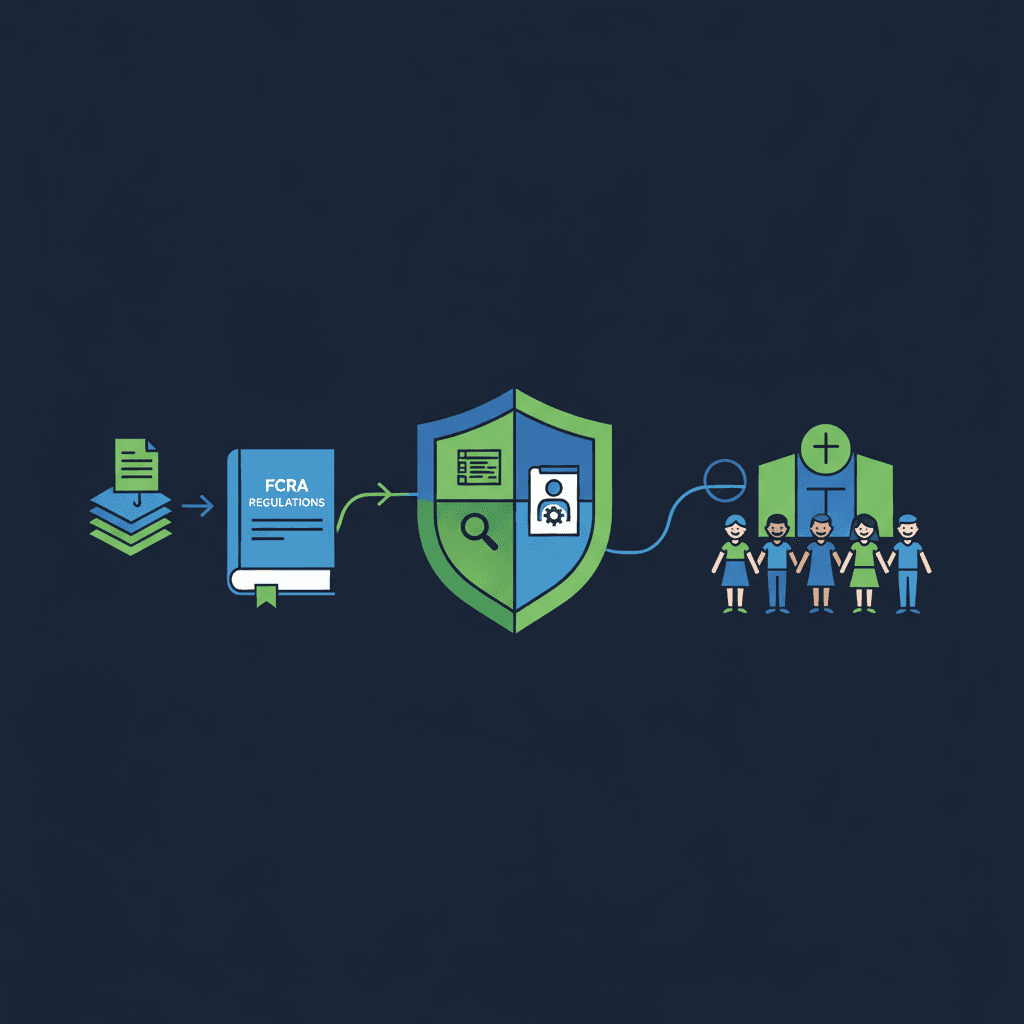
This process map helps keep the order straight.

Provide a standalone disclosure
Before you request a background check, give the volunteer a clear disclosure that a consumer report may be obtained.
The key operational point is standalone. Don't bury this inside a volunteer application, waiver packet, church membership form, or youth ministry onboarding bundle. If your disclosure is mixed into unrelated paperwork, you're creating avoidable risk.
What works is a dedicated document or screen that does one job well. It tells the person a report may be used for the screening decision.
Obtain written authorization
After disclosure, get written authorization before the check runs. Electronic consent can be workable in digital onboarding, but only if the flow clearly captures the person's approval and preserves a record.
Nonprofits often become careless here. They rely on verbal permission, assume an application checkbox is enough, or let local staff collect forms in different ways at different campuses or chapters. That inconsistency allows mistakes to propagate.
Use a compliant screening provider
Your provider should support more than database access. It should support process. That means documenting authorization, supporting permissible-purpose use, and giving your team a workable path if a report raises concern.
If your organization also reviews vendors in other risk-sensitive areas, this engineering guide for security leaders is a useful companion because it frames third-party oversight as an operational discipline, not just a procurement step.
A simple provider review checklist:
- Consent capture: Can the tool document written authorization cleanly?
- Notice support: Can it help your team send the required adverse-action communications?
- Audit trail: Can staff show what was sent, when, and to whom?
- Role fit: Is it designed for nonprofit volunteer workflows, not only corporate hiring?
Here's a quick explainer on the notice stage, which is where many teams stumble:
Send the pre-adverse action notice
If the report may lead you to deny, limit, or withdraw the volunteer opportunity, stop before making the final call. This is the point where pre-adverse action applies.
In plain terms, you tell the volunteer you're considering a negative decision based on the report, and you provide the report so they can review it. This step exists because reports can be incomplete, inaccurate, or attached to the wrong person.
If a report raises concern, your first move shouldn't be “deny.” It should be “pause and verify.”
Teams that skip this step usually aren't trying to be reckless. They're trying to move fast. But speed is exactly what creates preventable compliance failures.
Send the final adverse action notice
If, after giving the person a fair chance to review and respond, you still decide not to place them in the role, send the final adverse action notice.
For volunteer programs, adverse action can mean more than a hard rejection. It can include declining a person for a driving role, removing them from a youth-facing assignment, or denying access to a sensitive ministry function because of the report.
The practical rule is consistency. Build one workflow and use it every time. Ad hoc judgment, especially across multiple locations or program managers, is where good intentions turn into legal exposure.
Common Mistakes and Steep Legal Risks
Most FCRA problems in nonprofits don't come from bad motives. They come from improvised process. Someone reuses an employment form for volunteers. A branch location sends a denial email without the proper notice. A program lead buys a low-cost “instant” report and treats it as final.
That kind of drift matters because the legal exposure is real. One compliance guide notes that willful FCRA violations can carry statutory damages of $100 to $1,000 per violation, even without proof of actual harm, and that consumer reporting agencies typically resolve disputes within about 30 days, as discussed in this TrendSource article on alternative data access and FCRA compliance.
The errors that create most problems
The first category is bad paperwork design. A disclosure gets tucked into a larger volunteer application. Authorization is implied instead of clearly captured. Staff members can't show who consented and when.
The second category is rushed negative decisions. A report comes back with a record. Someone sees it, sends a rejection, and moves on. That's exactly where pre-adverse and final adverse action steps are supposed to slow the process down.
The third category is using weak data sources. Not every provider is built around FCRA workflows. Some offer speed, but not the consumer-rights process that matters when a result is inaccurate or incomplete.
For teams that also need to understand local variations around screening practice, this piece on understanding Tampa background check laws is a useful reminder that federal compliance is only one layer of the bigger screening picture.
Why process discipline matters
When a volunteer disputes a report, your organization needs more than a memory of what happened. You need records. You need timestamps. You need to know which notice was sent and whether anyone acted before the person had a real chance to respond.
That's why I tell nonprofit teams to audit their workflow using real friction points:
- Where is consent stored: Can staff retrieve it quickly?
- Who can trigger a denial: Is that permission limited and documented?
- How are notices sent: Manually, or through a controlled workflow?
- What happens after a dispute: Is there a pause, or do people keep moving?
A good companion read is this guide to background check red flags for nonprofits, especially if your team tends to overreact to raw report language instead of using a structured review process.
The steepest risk usually isn't the record itself. It's acting on the record without a defensible process.
How Modern Screening Workflows Simplify Compliance
Most nonprofits don't struggle with the idea of FCRA compliance. They struggle with execution. The legal steps are manageable. The operational problem is that volunteer intake often happens across mobile phones, shared inboxes, church offices, chapter leaders, and seasonal coordinators.
That's where digital workflows help. Recent compliance guidance has emphasized that online screening still has to preserve clear disclosure, written authorization, and a reasonable waiting period before final action, and that a common failure is acting on incomplete data without giving the consumer a real chance to correct it, as outlined in this Securiti FCRA compliance checklist.
What digital-first compliance looks like

A modern workflow should remove manual handoffs, not the human review step. That distinction matters. Automation should handle form delivery, authorization capture, report routing, and notice generation. Staff should still review edge cases and make the final eligibility decision thoughtfully.
The strongest systems usually do a few things well:
- Separate the disclosure flow: The applicant sees a clean consent experience, not a cluttered intake packet.
- Capture authorization digitally: Staff don't chase signatures across email threads.
- Track status visibly: Teams can tell whether a report is pending, under review, or in notice status.
- Package notices correctly: Pre-adverse and final adverse action communications are generated in the right order.
If you're comparing options, this overview of compliance software for staffing agencies is helpful because it shows how mature compliance tools reduce process error by standardizing steps users would otherwise perform manually.
What automation should handle
In nonprofit screening, the best automation solves repetitive admin work and prevents skipped steps. It should not encourage one-click denials.
For example, a tool should be able to:
- Send disclosure and authorization requests
- Store completed consent records
- Flag identity or address mismatches for review
- Prepare pre-adverse and final adverse action notices
- Maintain an audit trail
This is also where role-specific tooling matters. A volunteer screening workflow isn't the same as enterprise hiring. Teams often need simple language, low-friction mobile completion, and clear routing for staff who aren't compliance specialists. One option in that category is VolunteerBadge, which provides nonprofit-focused consumer reporting workflows with digital disclosure and authorization, address history review, and auto-generated adverse-action notices.
If your team is still evaluating providers, this comparison of background screening companies for nonprofits and similar organizations can help narrow what to ask in demos.
What doesn't work is the middle ground. A half-digital process with PDFs, manual emails, and staff reminders still leaves too many places for a missed notice or premature denial.
Your Practical FCRA Compliance Checklist
Organizations often don't need another policy memo. They need a checklist they can use during volunteer intake and when a report comes back with something concerning.
Keep this tight, and use it the same way every time.

Before you screen
- Define which roles need screening: Focus on positions involving minors, transportation, money, restricted access, or trust-based service.
- Use a standalone disclosure: Don't combine it with general application paperwork or waiver language.
- Collect written authorization: Make sure the volunteer has affirmatively agreed before the report is ordered.
- Confirm your provider supports compliance steps: Especially consent records, report access, and notice workflows.
- Train whoever reviews reports: They should know that a flagged result doesn't equal an instant denial.
When a report raises concern
- Pause the decision: Don't remove the person from consideration the moment you see a record.
- Review the report carefully: Look for incomplete information, mismatches, or context that may affect interpretation.
- Use a controlled internal process: Limit who can review and act on sensitive results.
- Prepare the right notice path: If the report may affect eligibility, move into pre-adverse action rather than informal email.
- Check for common report issues: This guide to background check errors in nonprofit screening is a useful reference for teams that need to distinguish genuine concerns from reporting mistakes.
If you deny the role
- Send pre-adverse action first: Give the volunteer the report and a real chance to respond before final action.
- Wait a reasonable period: Don't treat pre-adverse action as a same-day formality.
- Document any dispute or clarification: Keep the review trail clean and auditable.
- Send final adverse action only after review: Final means final.
- Retain your records: Disclosure, authorization, notices, and decision records should be easy to retrieve if questions come later.
Operational advice: If a staff member can deny a volunteer with a normal email template, your process is too loose.
The simplest checklist test is this one: could a new coordinator follow your workflow without guessing? If not, your compliance depends too much on tribal knowledge.
Frequently Asked Questions About FCRA Compliance
Does FCRA apply if the person is unpaid
It can. The issue isn't compensation by itself. The issue is whether your organization is using a third-party consumer report to decide eligibility for a role, especially a sensitive one. For volunteer programs, that often includes coaches, mentors, drivers, classroom helpers, finance volunteers, and ministry leaders with trusted access.
What's the difference between pre-adverse and adverse action
Pre-adverse action happens before the final decision. It tells the person you are considering a negative decision based on the report and gives them a chance to review and respond.
Adverse action is the final notice after that review opportunity has passed and you've decided not to place the person in the role, or not to place them in that specific role.
A lot of nonprofits collapse these into one step because they're trying to move quickly. That's a mistake. The law treats them as separate stages for a reason.
Do simple registry searches count as FCRA screening
It depends on how the information is obtained and used. If your organization uses a third-party consumer reporting agency to compile a report and that report informs the volunteer decision, you should assume the FCRA process matters. If staff are doing a limited in-house search without a CRA, the analysis can be different, but nonprofit teams should be careful here because hybrid processes often create confusion.
As a practical matter, most organizations are better served by using one clear workflow for screened roles rather than mixing informal searches, screenshots, database checks, and outside reports. Mixed processes are hard to explain later and harder to defend if the volunteer challenges the decision.
Can modern tools really make this easier
Yes, if the tool is designed around the compliance sequence rather than just fast report delivery. The right platform reduces missed forms, stores authorization cleanly, routes reports to the right reviewers, and helps staff send notices in the right order. The wrong platform just gives you data faster and leaves the legal steps to your team.
If your organization needs a cleaner volunteer screening workflow, VolunteerBadge is built for nonprofits that want consumer reporting with digital disclosure and authorization, plain-English results, and automated adverse-action support without turning volunteer onboarding into a paperwork project.
